
How to Stream Live Sports with IPTV in 2026
The 78th minute is when everything breaks.
Not the warm-up, not half-time — the 78th minute, when a title race is balanced on a single corner and forty thousand people in your region all pull the same stream at the same instant. That’s the moment an underbuilt setup chokes. I’ve watched it happen from the other side of the panel: support tickets arriving in a wave, all timestamped within ninety seconds of each other, all saying the same thing — frozen again.
So let’s get the short answer out of the way first, because you came here mid-crisis and don’t want a history lecture.
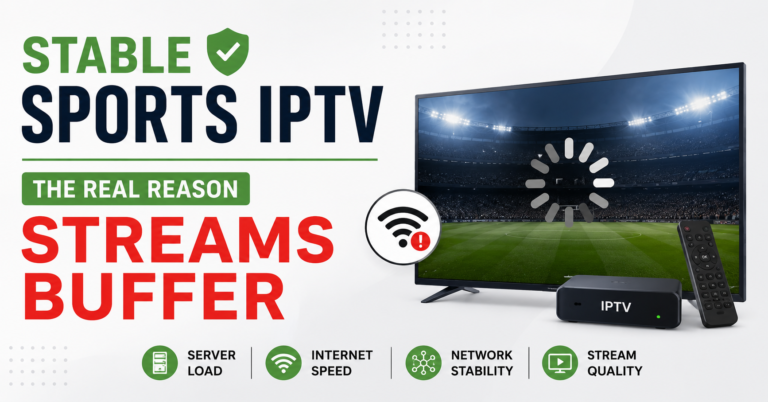
The quick answer: If you want to stream live sports with IPTV reliably, the freeze is almost never your internet and almost never the “channel.” It’s one of three things — your ISP throttling or poisoning the route, an overloaded server with no failover behind it, or a player app that can’t hold a buffer under load. Fix those in that order. Switch your DNS to Cloudflare (1.1.1.1) first, test on a wired connection, and if it’s still stuttering during a big match specifically, the bottleneck is upstream of you and you need a provider with real redundancy — not a cheaper subscription.
Everything below explains why those three culprits exist, how to tell which one is hurting you tonight, and what separates a setup that survives a Champions League final from one that collapses at kickoff.
Why Sports Breaks Things That Movies Never Touch
A film stream is forgiving. If it buffers for two seconds, the player quietly catches up and you never notice. Live sport has no such mercy. Every viewer is locked to the same live edge of the broadcast at the same second, so there’s nothing to pre-load and nothing to hide behind. The buffer that smooths a Netflix-style stream barely exists here.
That synchronisation is the whole problem. Demand doesn’t rise gently before a big match — it spikes vertically at kickoff. A server humming along comfortably on a Tuesday can be underwater by the time the anthems finish on a Saturday.
Pro Tip: The single most reliable predictor of a freeze isn’t your speed test — it’s whether the event is being watched live by a large audience in your country. If a quiet midweek game streams perfectly but the weekend derby stutters, your hardware is fine. You’re hitting a capacity ceiling somewhere upstream, and no router reboot will move it.
The Three Failure Points, Ranked
Before you change anything, know what you’re actually fighting. After reviewing a few thousand support requests over the years, the causes of live-sport freezing sort cleanly into three buckets — and people almost always blame the wrong one.
| Symptom | Usual Cause | What It Actually Is |
|---|---|---|
| Freezes only during big matches | Server overload, no failover | Capacity problem, not yours |
| Freezes on one network, fine on mobile | ISP throttling or DNS poisoning | Routing problem |
| Constant stutter on everything | Weak player buffer or weak Wi-Fi | Local setup problem |
| Buffers then catches up on movies, dies on live | No backup uplink upstream | Provider infrastructure |
Notice that only the bottom row of the local-setup problem is genuinely in your hands. The rest live with your network or your provider — which is exactly why “buy faster internet” is the most common wasted purchase in this space.
Test Your Connection Path Before Blaming Anything
Here’s a sequence I walk people through before touching a single setting. It takes four minutes and saves hours of guessing.
- Run the failing stream on mobile data with Wi-Fi off. Works fine? Your home ISP is the suspect, not the service.
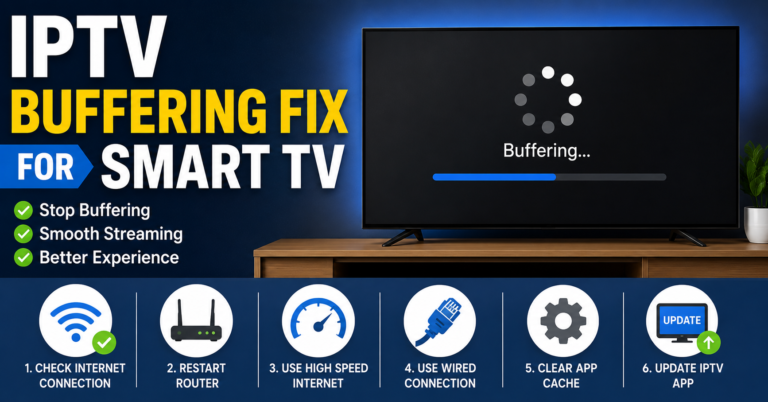
- Switch your DNS to 1.1.1.1 / 1.0.0.1 (Cloudflare) on the router or device. Re-test. A sudden fix here means your ISP was poisoning or mishandling the route.
- Plug in via Ethernet if you’ve been on Wi-Fi. Many “IPTV problems” are a congested 2.4GHz band fighting the microwave and the neighbour’s network.
- Try the same channel on a second app. If TiviMate holds it but another player drops it, the app’s buffer was the weak link.
Pro Tip: Do the mobile-data test first, always. It’s the fastest way to split “the service is broken” from “my house is broken,” and it’s free. I’ve seen people cancel a perfectly good subscription over a Wi-Fi channel conflict they could’ve fixed in thirty seconds.
How ISPs Quietly Strangle Live Sports
This is the part most guides skip, and it’s where 2026 differs sharply from a few years back. ISP interference is no longer a blunt instrument. Older blocking was easy to spot — a channel simply died. Modern throttling is subtler: the stream doesn’t stop, it degrades, dropping resolution and stuttering just enough to ruin a match without ever fully failing. That ambiguity is deliberate, because a fully dead stream gets reported and a merely-annoying one gets blamed on the provider.
Two countermeasures handle the overwhelming majority of cases. Changing DNS to Cloudflare resolves most routing-level interference instantly. When that isn’t enough, a VPN reroutes your traffic entirely so the ISP can’t fingerprint and shape it. In that order — DNS is free and invisible, a VPN adds a small latency cost you’d rather avoid on a live feed if you don’t need it.
Pro Tip: If your stream is crisp on a VPN but stutters without one, that’s not a coincidence or a bad night — it’s hard proof your ISP is selectively throttling streaming traffic. Keep the DNS change permanent and the VPN as your match-day backup.
What Players Actually Do Under Pressure
Not every app survives a packed stadium of concurrent viewers equally. The player sits between the stream and your screen, and its buffering behaviour decides whether a momentary dip becomes a visible freeze or an invisible hiccup.
| Player | Buffer Control | Best For | Weak Spot |
|---|---|---|---|
| TiviMate | Deep, adjustable | Serious sports viewing | Premium needed for full features |
| IPTV Smarters Pro | Basic | Easy setup, beginners | Thin buffer under load |
| OTT Navigator | Strong, granular | Tinkerers who tune settings | Steeper learning curve |
| GSE Smart IPTV | Moderate | iOS users | Inconsistent on some streams |
In day-to-day reality, TiviMate is the one I point people toward for live sport specifically, because its buffer is large enough to ride out the small dips that wreck a match on thinner apps. IPTV Smarters Pro is the easiest to set up and, not coincidentally, the one that generates the most “it froze” messages — that thin buffer has no slack when the load spikes at kickoff.
Pro Tip: In TiviMate, nudge the buffer size up before a major fixture rather than leaving it default. A slightly larger buffer adds a second or two of delay you won’t notice but absorbs the micro-drops that otherwise show up as freezes at the worst possible moment.
The Reseller Side: Why Your Customers Vanish After Big Matches
If you run an IPTV reseller panel, this section is the one that pays your rent. Subscribers forgive a lot — but a frozen cup final is the single most common trigger for cancellation I’ve ever tracked. One reseller I worked with lost nearly a fifth of his base in a single weekend because his upstream provider buckled during a heavyweight fight and never recovered the stream. The customers didn’t complain. They just didn’t renew.
Here’s the uncomfortable truth for every panel owner and credit reseller: the quality you sell is almost entirely your provider’s quality, and you find out how good it really is only at peak load. A provider looks identical to every competitor on a quiet Wednesday. The gap only opens on the nights that matter.
Pro Tip: Maintain panel credits with two independent providers at once, not one. Every experienced IPTV operator I respect does this. Providers vanish overnight, buckle during big events, or get hit upstream — and the reseller who can migrate subscribers to a second source mid-weekend keeps their business while the single-source reseller watches churn spike.
A few hard-won lessons from the reseller and sub-reseller side:
- Test your provider during an actual big match, not a trial on a quiet day. Anyone can stream a Tuesday game. Sign trials to coincide with a major fixture and watch what happens at kickoff before you commit panel credits.
- Track churn against the sports calendar. When an IPTV business owner overlays cancellations onto the fixture list, the spikes line up with the matches that froze. That correlation tells you which provider to drop.
- Give sub-resellers a heads-up before marquee events. A sub-reseller who knows a traffic spike is coming can pre-warn their own customers and field fewer angry messages.
- Support speed beats stream quality for retention. A subscriber whose freeze gets a fast, human reply often stays. Silence is what actually loses them.
Building a Setup That Survives the Final
Cheap infrastructure and professional infrastructure look identical until the moment they don’t. The difference is invisible on the sales page and brutally obvious at the 78th minute.
| Cheap Infrastructure | Professional Infrastructure |
|---|---|
| Single server source | Multiple load-balanced sources |
| No failover | Automatic failover at outage |
| No backup uplink | Redundant upstream uplinks |
| Frozen at peak load | Holds through traffic spikes |
| No monitoring | Active monitoring and alerts |
Load balancing spreads the kickoff surge across several servers so no single one drowns. Failover means that when one source dies mid-match, traffic shifts to a healthy one before most viewers notice. Backup uplinks keep the data flowing if one network path congests. None of this matters on a quiet night — and all of it matters on the one night your customers actually care about. For a closer breakdown of what professional-grade delivery involves, the team at britishseller.co.uk covers the infrastructure side in practical depth.
Frequently Asked Questions
Why does my IPTV freeze only during live sports and not movies?
Because live sport locks every viewer to the same live edge of the broadcast at once, there’s almost no buffer to absorb dips, and demand spikes vertically at kickoff. Movies pre-load and hide small interruptions; live streams can’t. A freeze that hits only during big matches points to server capacity or upstream congestion, not your hardware.
What’s the fastest way to stream live sports with IPTV without buffering?
Switch your DNS to Cloudflare (1.1.1.1), test on a wired connection rather than Wi-Fi, and use a player with a deep buffer like TiviMate. If it still stutters only during major fixtures, the bottleneck is your provider’s capacity — and the real fix is a service with genuine redundancy, not a faster internet plan.
Do I need a VPN to stream live sports with IPTV?
Not always. Try a Cloudflare DNS change first, since it’s free and fixes most routing interference. Reach for a VPN when your ISP is actively throttling streaming traffic — a clear sign is a stream that’s crisp on a VPN but stutters without one. Keep it as a match-day backup rather than running it constantly.
Which player app is best for live sports?
TiviMate is the strongest choice for live sport because its adjustable, deep buffer rides out the micro-drops that freeze thinner apps at peak load. IPTV Smarters Pro is friendlier for beginners but its thinner buffer struggles when traffic spikes at kickoff. OTT Navigator suits people who like to fine-tune buffer settings manually.
As an IPTV reseller, how do I stop losing customers after big matches?
Test your provider during an actual marquee event before committing panel credits, and keep credits with two independent providers so you can migrate subscribers if one buckles. Track churn against the fixture calendar to identify which source fails under load, and prioritise fast support replies — response speed retains more subscribers than raw stream quality.
Is it normal for streams to drop at the exact same moment for everyone?
Yes, and it’s a telltale sign. When freezes cluster within a minute or two across many viewers during a big match, that’s a capacity or upstream failure on the provider side, not a coincidence of individual connections. Isolated stutters that only you experience point instead to your local network or player.
Why does changing DNS fix my sports streaming?
Many ISPs interfere with streams at the routing level rather than blocking them outright. Switching to a neutral DNS like Cloudflare’s bypasses that interference, so the stream reaches you cleanly. It’s the first fix to try because it’s free, permanent, and invisible to your ISP’s shaping systems.
How much internet speed do I actually need for IPTV sports?
Far less than most people assume — a stable 25Mbps comfortably handles HD live sport. Stability matters more than raw speed. A consistent 25Mbps beats an erratic 200Mbps connection that drops packets at peak times, which is why upgrading your plan rarely fixes a freezing problem that’s really about routing or provider capacity.
Action Checklists
For Subscribers
- Run the failing stream on mobile data to isolate your home ISP
- Switch router/device DNS to Cloudflare (1.1.1.1 / 1.0.0.1)
- Use Ethernet instead of 2.4GHz Wi-Fi for big matches
- Switch to TiviMate and raise the buffer before kickoff
- Keep a VPN ready as a match-day backup, not a constant
For Resellers
- Trial every new provider during an actual marquee event before buying panel credits
- Hold credits with two independent providers simultaneously
- Overlay churn data onto the sports fixture calendar to spot the failing source
- Reply to freeze tickets fast and human — speed retains more than perfection
- Confirm your provider runs load balancing and failover before scaling
For Sub-Resellers
- Warn your customers ahead of marquee fixtures so spikes don’t surprise them
- Keep a backup panel ready in case your upstream source buckles mid-event
- Log which events triggered complaints to pressure-test your provider
- Don’t oversell capacity you haven’t verified under real peak load
The Bottom Line
Streaming live sports is the hardest test any IPTV setup ever faces, because it removes every cushion that hides weakness the rest of the week. The freeze you’re chasing almost always traces to one of three things — ISP routing, provider capacity, or your player’s buffer — and the order you test them in decides how fast you fix it. Change your DNS, test on mobile and Ethernet, lean on a deep-buffer player, and judge any provider by how it behaves at the 78th minute of a final, never on a quiet Tuesday.
The deepest lesson is the simplest one: capacity is invisible until the exact moment it isn’t. Whether you’re a subscriber wanting a clean match or a UK IPTV reseller protecting a customer base, build and buy for peak load — because that single high-pressure night is the only test that has ever mattered, and it’s the one everyone remembers.