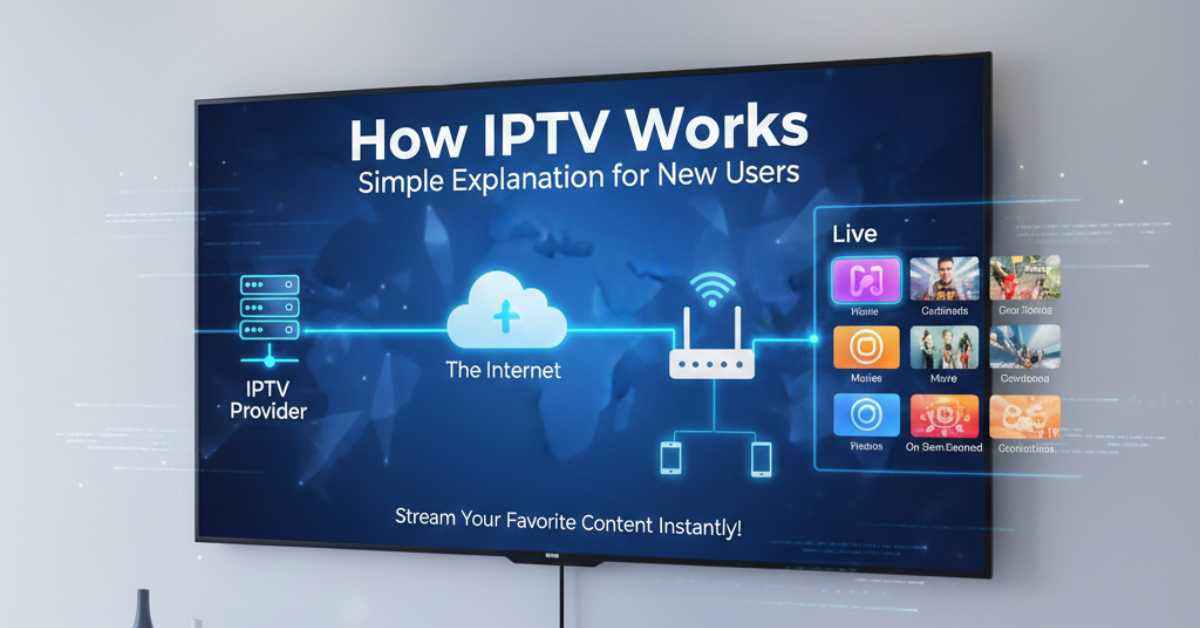

How IPTV Works: IPTV Simple Explanation for Beginners
Most people have heard the word IPTV at least once by now. Maybe a friend mentioned it, or you came across it while searching for ways to cut your cable bill. Either way, if you’re new to this topic, you probably want a clear, honest, and straightforward breakdown, a real explanation that doesn’t require a technical background to understand.
That is exactly what this guide IPTV Simple Explanation offers. No jargon. No confusion. Just a plain walkthrough of what IPTV is, how it actually works behind the scenes, and what you need to know before getting started.
Related Read: Curious about how IPTV services are managed and sold? Check out What Is an IPTV Reseller Panel for a detailed breakdown of the distribution side of IPTV.
The Core Idea Behind IPTV
Before getting into the technical side of IPTV, it helps to understand the core concept in simple terms.
Traditional television, cable or satellite, sends video signals through physical cables or via a satellite dish installed on your roof. The signal travels one way, from the broadcaster to your TV, and you watch whatever is scheduled.
IPTV works differently. Instead of using cables or satellites, it sends video over the internet. The content is broken into small data packets, the same way a website or email is sent, and those packets travel to your device through your internet connection. Your device reassembles them and plays the video.
That is the heart of it. Television content delivered through internet protocol. That is where the name comes from: Internet Protocol Television.
How IPTV Works Step by Step
Let’s walk through the full process from start to finish, the journey that video takes before it reaches your screen.
Step 1: Content Is Acquired or Created
A broadcaster, sports network, news channel, or production company creates or licenses video content. This may be a live sports match, a news broadcast, a film, or a television series.
Step 2: Video Is Encoded
Raw video files are large and would be too slow to move without preparation. The content is compressed and encoded into a format that can travel efficiently over internet networks. Common codecs include H.264 and H.265.
Step 3: Content Is Stored or Streamed from Servers
Once encoded, the content is either stored on servers (for on-demand viewing) or streamed in real time (for live channels). These servers are maintained by the IPTV provider or a content delivery network.
Step 4: Content Is Delivered to Your Device
When you open your IPTV app and select a channel or movie, your device sends a request to the server. The server responds by sending the video stream to your device over your internet connection.
Step 5: Your Device Plays the Content
Your IPTV app or media player receives the stream and decodes it in real time. The result is the video playing on your screen, whether that’s a television, phone, tablet, or laptop.
The Technology That Makes It Possible
A few key technologies work together to make IPTV function smoothly.
Content Delivery Networks (CDNs) are systems of servers spread across different geographic locations. They store copies of content closer to viewers, which reduces lag and buffering. When you stream a channel, you’re often pulling data from a server near your location, not from one central location thousands of miles away.
Multicast and Unicast Delivery are two methods for sending streams. Multicast sends one stream to many viewers simultaneously, which is efficient for live TV. Unicast sends a unique stream to each viewer, which is more common for on-demand content.
Middleware is the software layer that manages the user interface, menus, channel lists, and account authentication. When you open your IPTV app and see a programme guide or movie library, you’re interacting with the middleware.
Types of IPTV Explained Simply
| Type | What It Does | Best For |
|---|---|---|
| Live TV Streaming | Broadcasts channels in real time | Sports, news, live events |
| Video on Demand (VOD) | Lets you choose and watch content anytime | Movies, TV series |
| Time-Shifted TV | Lets you watch recently aired content | Catching up on missed shows |
| Near Video on Demand (NVOD) | Schedules the same content at short intervals | Pay-per-view style events |
Each type serves a different purpose. Most IPTV services offer a combination of live TV and VOD. Time-shifted options are less common but very convenient when available.
What You Need to Use IPTV
One of the reasons IPTV has grown so quickly in the United States is how accessible it is. You do not need expensive equipment or a technician to get started.
Internet Connection
A stable internet connection is the most important requirement. Here are the recommended speeds:
| Content Quality | Minimum Speed Required |
|---|---|
| Standard Definition (SD) | 5 Mbps |
| High Definition (HD) | 15-25 Mbps |
| Full HD (1080p) | 25 Mbps |
| 4K Ultra HD | 40-50 Mbps |
| Multiple streams at once | Add 10-15 Mbps per stream |
Wired connections (ethernet) are more reliable than Wi-Fi, especially for live TV. If you use Wi-Fi, make sure your router is in a good location and your signal is strong.
A Compatible Device
IPTV works on most modern devices, including:
- Android TV boxes and Amazon Fire TV Stick
- Smart TVs with app support
- iPhones, iPads, and Android phones and tablets
- Windows and Mac computers
- Dedicated IPTV set-top boxes (MAG, Formuler, Dreamlink)
An IPTV App or Player
You will need a player app to watch IPTV. Popular options include TiviMate, IPTV Smarters Pro, GSE Smart IPTV, and Perfect Player. Most of these are free or charge a small one-time fee.
A Subscription
Finally, you need a subscription from an IPTV provider. This gives you a username, password, and either an M3U URL or an Xtream Codes login. You enter these into your player app to access channels.
How the IPTV Business Model Works
Understanding who’s involved in the IPTV chain helps you make better decisions as a customer, and helps you understand the industry if you’re exploring it professionally.
Content Providers are at the top. These are the broadcasters and studios that own and license the content.
IPTV Service Providers acquire rights to content and build the infrastructure to deliver it, servers, encoding, middleware, and customer management systems.
IPTV Resellers work with service providers to distribute subscriptions to end users. They do not host content themselves. They use reseller panels, management software that lets them create accounts, manage subscriptions, and handle billing. This is a legitimate, widely used distribution model in the IPTV industry. Learn more about how this works by reading about IPTV reseller opportunities and panel management.
End Users, this is you, subscribe and watch content through a compatible device and app.
This is purely a software and account management structure. No content is hosted or provided by UK reseller panels. They are tools for account distribution only.
IPTV vs. Cable vs. Streaming Apps
A lot of people ask how IPTV compares to their current setup. Here’s a simple comparison.
| Feature | Cable TV | IPTV | Netflix / Hulu |
|---|---|---|---|
| Live Channels | Yes | Yes | Very Limited |
| On-Demand Library | Limited | Yes (varies) | Yes |
| Internet Required | No | Yes | Yes |
| Monthly Cost | $60-$200+ | Varies | $8-$18 |
| Long-Term Contract | Usually | Rarely | No |
| Number of Devices | 1-3 | Varies by plan | 1-4 |
| International Channels | Rarely | Often | No |
| Setup Complexity | Low | Low to Medium | Very Low |
Cable TV offers reliability but at a high cost with rigid contracts. Streaming apps like Netflix are easy to use but do not provide live channels. IPTV bridges the gap, offering live TV, on-demand content, and international channels, often at a significantly lower cost.
If you’re evaluating service levels or want to explore different plan options, visiting a pricing page can help you understand what’s available and what fits your needs.
Common Mistakes New IPTV Users Make
Getting started with IPTV is simple, but some common errors can lead to a frustrating experience. Here’s what to watch out for.
Choosing the Wrong Provider
Not all IPTV services are equal. Some are reliable and professionally run. Others go offline frequently, offer poor picture quality, or disappear entirely after taking payment. Research before you subscribe. Look for providers with clear contact information, active user communities, and trial options.
Ignoring Internet Speed
Many new users underestimate how much bandwidth IPTV uses. If you’re streaming HD content on a 10 Mbps connection while others in your home are also using the internet, you’ll likely experience buffering. Test your internet speed and upgrade your plan if needed before blaming the IPTV service.
Using an Outdated Device
Older smart TVs and low-end Android boxes may struggle to play HD or 4K IPTV streams smoothly. If your device is several years old and you’re experiencing performance issues, consider upgrading to a more capable device.
Not Using a Stable Connection
Wi-Fi can be convenient, but it introduces instability. Walls, interference from other devices, and distance from the router all affect signal strength. For the best experience, connect your IPTV device directly to your router using an ethernet cable.
Expecting Every Service to Be Identical
Two IPTV subscriptions at similar price points can deliver very different experiences. Channel counts, stream quality, server stability, and customer service all vary. Always try a trial before committing to a full subscription.
Best Practices for a Smooth IPTV Experience
Once you’ve chosen a service and set up your device, a few habits will keep your experience consistently good.
Keep your app up to date. Developers often release updates that fix bugs and improve performance. Check for updates every few weeks.
Restart your device periodically. Like any tool, IPTV boxes and smart TVs benefit from occasional restarts. This clears cached data and refreshes the connection.
Use a VPN if privacy matters to you. A reliable VPN service encrypts your internet traffic and masks your streaming activity. This is a personal choice, but many IPTV users prefer it for privacy reasons.
Clear app cache regularly. Over time, apps accumulate temporary data that can slow them down. Clearing the cache monthly keeps things running smoothly. This is usually found in your device’s settings under app management.
Choose the right player for your device. TiviMate is widely regarded as the best option for Android TV devices. IPTV Smarters is popular for phones and tablets. GSE Smart IPTV works well across multiple platforms. Try a few and stick with the one that performs best on your setup.
Test during off-peak hours. If you notice buffering during peak evening hours, try watching earlier in the day. This helps you determine whether the issue is your internet provider’s network congestion or the IPTV service itself.
Is IPTV Right for You?
IPTV is a great fit for those who want live TV without a cable contract, who watch content on multiple devices, or who need access to international channels not available through local providers.
It might not be the best fit for those who rarely use the internet, live in areas with very slow or unreliable broadband, or who prefer the simplicity of a traditional cable setup with no technical involvement.
For most households in the United States, internet speeds are more than enough for IPTV. And the cost savings compared to cable are significant enough that millions of Americans have already made the switch.
Frequently Asked Questions
-
Do I need a special TV to use IPTV?
No. You do not need a special TV. Most modern smart TVs support IPTV apps. If your TV doesn’t, you can connect an external device like an Amazon Fire TV Stick, Android box, or Apple TV and install an IPTV player on that device instead.
-
What is an M3U link and how do I use it?
An M3U link is a playlist URL that your IPTV provider gives you when you subscribe. You paste this link into your IPTV player app. The app reads the link and loads all the channels and content associated with your subscription. It is the most common way IPTV content is delivered to end users.
-
Can I use IPTV while travelling?
Yes, in most cases. As long as you have a reliable internet connection, you can access your IPTV subscription from anywhere. Some providers may restrict access based on geographic location, so check with your provider before travelling internationally.
-
Why does my IPTV buffer even though my internet is fast?
Buffering can be caused by several things beyond just internet speed. Server overload on the provider’s end, Wi-Fi interference, an older device, or a congested network during peak hours are all common causes. Try switching to a wired ethernet connection first. If that doesn’t help, contact your provider.
-
Is there a difference between IPTV and a VPN?
Yes, they are completely different things. IPTV is a method of delivering television content over the internet. A VPN is a privacy tool that encrypts your internet connection. Some IPTV users choose to use a VPN alongside their service for privacy, but a VPN isn’t required to use IPTV.
-
How many channels can I get with IPTV?
This depends entirely on the provider and the plan you choose. Some services offer a few hundred channels, while others offer several thousand from multiple countries. More channels doesn’t always mean better quality, focus on the channels you actually want and the reliability of the provider.
-
Can I share my IPTV subscription with family members?
Many IPTV subscriptions allow multiple simultaneous connections. Some plans offer two, three, or more streams at the same time. Check the plan details before purchasing if you want multiple streams running simultaneously in your household.
Conclusion
Understanding how IPTV works does not require technical expertise. At its core, it’s simply television content delivered over your internet connection rather than through cables or satellites. The process from content creation to your screen involves encoding, servers, apps, and your internet provider, all working together to deliver a seamless viewing experience.
This simple IPTV explanation guide was designed to give you exactly what you need to make informed decisions, whether you’re a first-time user trying IPTV Reseller Panel for the first time, or someone exploring it from a business or distribution perspective.
The technology is accessible, the setup is manageable, and the potential savings over traditional cable are real. As long as you choose a legitimate, reliable provider and have a stable internet connection, IPTV can deliver a great television experience.
This article is for educational and informational purposes only. It covers IPTV technology, software tools, and account management systems. No content is hosted, streamed, or provided through this website. Always use IPTV services that operate with proper licensing and in compliance with applicable laws in your area.



