
The Coaxial Cable Behind Your Hotel TV Is Already Obsolete
There is a quiet crisis unfolding in hospitality AV departments across the UK, the Gulf, and North America. Properties that invested heavily in coaxial distribution infrastructure five or six years ago are now staring at a wall of incompatibility. Guests expect 4K. They expect streaming-app interfaces. They expect the same fluid channel-switching experience they get at home — and legacy RF modulators simply cannot deliver that anymore.
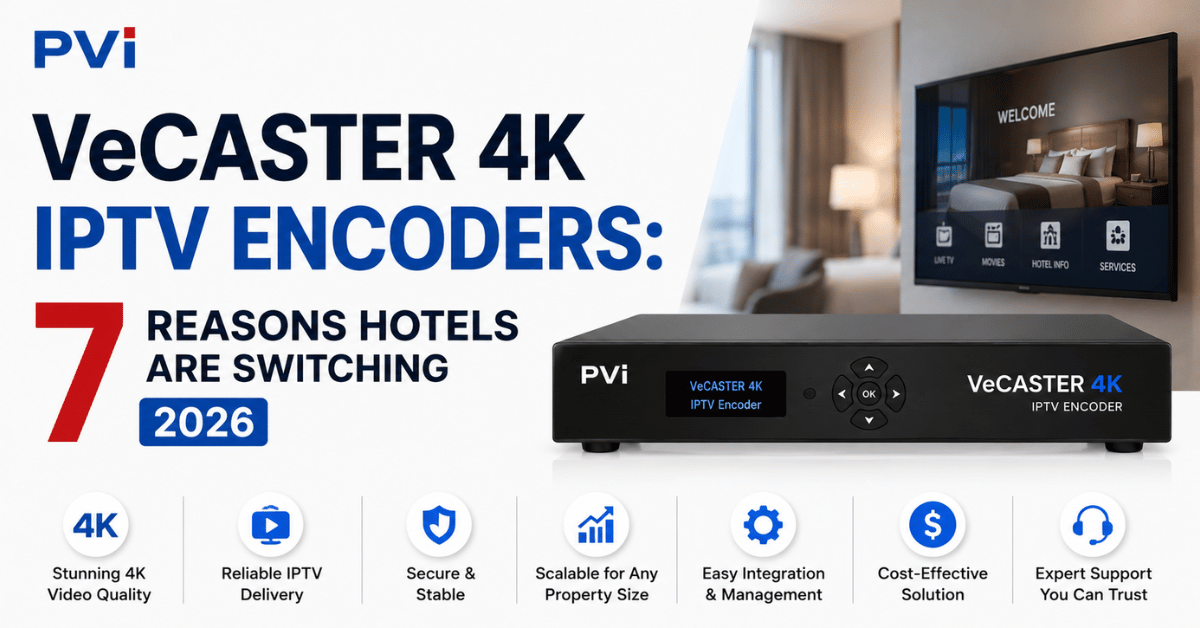
This is the gap that PVI VeCASTER 4K IPTV Encoders were engineered to fill. Not as a gimmick. Not as a budget compromise. As a proper, rack-mountable, hardware-encoded streaming solution built from the ground up for commercial environments where uptime is not optional.
If you manage AV procurement for a hotel chain, conference venue, hospital, or corporate campus, this article breaks down exactly what PVI VeCASTER 4K IPTV Encoders do, where they fit in your infrastructure stack, and what most first-time buyers get wrong before placing an order.
What Exactly Are PVI VeCASTER 4K IPTV Encoders Built to Do?
At the core, PVI VeCASTER 4K IPTV Encoders are single-channel hardware video encoders manufactured by Pro Video Instruments in the United States. Each unit takes one HDMI 2.0 input — from a satellite receiver, media player, camera, signage source, or any other HDMI device — and converts it into IP streams that can be delivered to hundreds of endpoints simultaneously over a standard LAN.
That last part matters. You are not running new cable. You are using the Ethernet and Wi-Fi infrastructure your property already has.
Each PVI VeCASTER 4K IPTV Encoders unit ships with a built-in gigabit server capable of serving hundreds of concurrent devices in both unicast and multicast modes. There is no need for an external media server to get started.
Pro Tip: The built-in server handles direct-to-TV delivery beautifully in properties under 200 rooms. Once you cross that threshold, pairing with a middleware distribution server like Wowza gives you headroom and analytics.
Four Streams From One HDMI — And Why That Changes Procurement Math
One of the most underestimated features of PVI VeCASTER 4K IPTV Encoders is the quad-encoder architecture. A single HDMI source gets encoded into four simultaneous streams, each with independently configurable resolution, frame rate, and scaling.
In practical terms, here is what that means for a hotel:
- Stream 1: Full 4K UHD at 60fps for lobby displays and premium suites
- Stream 2: 1080p HD for standard guest rooms
- Stream 3: 720p optimised for tablets and in-room mobile casting
- Stream 4: Low-bandwidth feed for staff back-of-house monitoring
You are not buying four separate encoders. You are buying one PVI VeCASTER 4K IPTV Encoders unit and getting four output profiles. The procurement savings compound quickly when you multiply across twenty or thirty source channels.
Protocol Flexibility Most Buyers Overlook
Here is where the technical depth of PVI VeCASTER 4K IPTV Encoders separates them from budget alternatives. The unit supports simultaneous output in M3U8, HLS, RTMP, HTTP, UDP, RTP, RTSP, and SRT. Every one of these protocols can run concurrently.
Why does that matter for a commercial buyer?
HLS is what your smart TVs need. RTMP is what your social media live stream demands if you are broadcasting a conference keynote to remote attendees. UDP multicast is what keeps your network sane when 300 rooms request the same channel simultaneously. SRT is the newer low-latency protocol gaining traction for inter-site distribution across WAN links.
| Feature | Budget Software Encoder | PVI VeCASTER 4K IPTV Encoders |
|---|---|---|
| Encoding | Software (CPU-dependent) | Dedicated hardware (ASIC) |
| Latency | 500ms–2 seconds | Under 200ms |
| Concurrent streams | Usually 1 | 4 simultaneous |
| Protocol support | RTMP only | HLS, RTMP, UDP, RTSP, SRT, HTTP |
| Uptime reliability | OS-dependent | Headless, always-on |
| Rack-mountable | No | Yes (15 units per 4RU) |
| Logo/watermark | External software | 5 built-in generators |
| Warranty | 1 year typical | 5 years + lifetime support |
Pro Tip: If you are deploying in a property where guests connect personal devices to the hotel Wi-Fi and expect to cast content, the HLS output of PVI VeCASTER 4K IPTV Encoders plays natively in any browser without plugins. No app install required on the guest side.
The Hospitality Deployment Nobody Talks About: Automation Integration
Most encoder reviews stop at picture quality. They miss the integration layer entirely, which is the real reason AV integrators specify PVI VeCASTER 4K IPTV Encoders for hospitality projects over cheaper hardware.
Each unit exposes a web-based control interface accessible from any browser on the local network. But more importantly, the stream addresses and channel switching can be controlled via automation platforms — Crestron, Control4, Logitech, and even Alexa voice commands.
Picture the guest experience: a visitor picks up the room remote, presses “Sports,” and the smart TV switches to the VeCASTER stream carrying that channel. No set-top box behind the TV. No HDMI cable snaking from a decoder. The stream arrives over IP. The automation system simply tells the TV which multicast address to tune into.
This eliminates one of the biggest maintenance headaches in hotel AV: the set-top box failure. No box behind the TV means no box to fail, overheat, freeze, or need a manual reboot at 2am when a guest complains.
Rack Density and Scaling: How PVI VeCASTER 4K IPTV Encoders Handle Growth
Physical footprint matters in commercial AV. Server rooms in hotels are not data centres. Space is expensive, and every rack unit counts.
PVI VeCASTER 4K IPTV Encoders measure just 164mm × 170mm × 26mm per unit. Using the optional rack bar kit from Pro Video Instruments, you can mount up to fifteen encoder modules in a 4RU rack space. That is fifteen channels — sixty encoded streams — in less vertical space than a typical AV receiver.
Power draw sits at just 5 watts typical per unit, maxing at 10 watts under full load. Fifteen units rack-mounted together consume less electricity than a single desktop computer. For properties chasing sustainability certifications, this is not a trivial detail.
Pro Tip: When scaling past thirty channels, segment your network into VLANs by floor or wing. Multicast traffic from PVI VeCASTER 4K IPTV Encoders is lightweight, but poor VLAN planning can create unnecessary cross-segment chatter that degrades Wi-Fi performance for guests.
HEVC vs H.264: Choosing the Right Codec for Your Property
PVI VeCASTER 4K IPTV Encoders are available in both H.264 and HEVC (H.265) variants. This is not a minor spec difference — it directly affects your bandwidth consumption, storage costs if you are recording, and device compatibility across your property.
H.264 is the safer bet for mixed-device environments. Every smart TV manufactured in the last decade decodes H.264 without issue. If your property has older Samsung or LG panels in standard rooms and newer 4K panels in suites, H.264 gives you universal compatibility.
HEVC cuts bandwidth consumption roughly in half at equivalent quality. If your property network is already under strain — say, a conference hotel during peak event season — HEVC lets you deliver the same 4K picture using fewer megabits per second. The trade-off is that some older endpoint devices may not decode HEVC natively.
- Choose H.264 if your TV fleet spans multiple generations and brands
- Choose HEVC if you are building a greenfield installation with modern 4K displays throughout
- Choose the dual-codec variant of PVI VeCASTER 4K IPTV Encoders if your property has both scenarios running simultaneously
Logo Insertion, Branding, and the Guest Experience Layer
Every PVI VeCASTER 4K IPTV Encoders unit includes five built-in logo generators per channel. These are not basic overlay watermarks — you can insert full-colour logos, QR codes, scrolling text messages, and property branding directly into the encoded stream without any external graphics software.
For hospitality, the applications are immediate. Insert your hotel logo on every in-house channel. Display a QR code linking to the spa booking page during the welcome channel. Add a scrolling text bar during breakfast hours showing the day’s event schedule.
All of this happens at the encoder level. No middleware. No additional licensing fees. No third-party graphics engine consuming server resources in your rack room.
Pro Tip: Use the QR code overlay feature on your lobby display channel to drive direct bookings for your restaurant. Guests scan, land on a booking page, and you bypass third-party commission platforms entirely. One VeCASTER feature paying for the hardware.
What Goes Wrong in First-Time Deployments (And How to Avoid It)
Having seen the questions that surface repeatedly in AV integrator forums and procurement channels, these are the three mistakes that catch first-time PVI VeCASTER 4K IPTV Encoders buyers:
Mistake one: undersizing network switch capacity. Each encoder pushes four streams. If you have twenty encoders, you are generating eighty streams. Your core switch needs to handle that aggregate throughput without port saturation. Managed gigabit switches with IGMP snooping support are non-negotiable.
Mistake two: ignoring EDID handshake behaviour. PVI VeCASTER 4K IPTV Encoders include advanced EDID management, but if your HDMI source device does not recognise the encoder as a valid display, you will get no output. Always connect the encoder to the HDMI source before powering on the source device. Let the EDID handshake complete cleanly.
Mistake three: treating multicast and unicast as interchangeable. Multicast is efficient for one-to-many (one channel to all rooms). Unicast is appropriate for one-to-one (a specific feed to a specific display). Mixing them incorrectly floods your network with duplicate traffic.
The 5-Year Warranty Angle Most Procurement Teams Miss
Pro Video Instruments backs every PVI VeCASTER 4K IPTV Encoders unit with a five-year warranty and lifetime technical support. The unit is manufactured in the United States, and every component is modular — meaning a field-serviceable swap can happen on-site without removing the entire system from the rack.
For hospitality procurement, this changes the total cost of ownership calculation dramatically. Budget encoders from generic manufacturers typically carry a twelve-month warranty, no phone support, and zero modularity. When they fail — and hardware encoders in always-on environments do eventually fail — you are buying a full replacement unit, not swapping a module.
Over a five-year refresh cycle, the PVI VeCASTER 4K IPTV Encoders warranty alone can offset the higher upfront unit cost by eliminating replacement hardware expenses and the labour hours associated with full-unit swaps.
IPTV Encoding in 2026: Why Hardware Still Beats Software
There is a persistent argument in commercial AV that software encoders running on commodity PCs are “good enough.” For a YouTube livestream from a bedroom, perhaps. For a 300-room hotel where every guest expects buffer-free, sub-200ms latency 4K video on demand, software encoding introduces risks that no operations director should accept.
Software encoders are dependent on operating system stability. A Windows update, a driver conflict, a memory leak — any of these can take down your entire channel lineup during a sold-out weekend. PVI VeCASTER 4K IPTV Encoders run on dedicated silicon. No operating system. No updates that break things. No blue screens.
The sub-200ms latency spec is hardware-guaranteed, not “best case under ideal conditions.” In sports bars, live event venues, and any property where guests are watching time-sensitive content, that latency figure is the difference between cheering with the crowd and hearing the roar from the next room three seconds before your screen catches up.
Pro Tip: If you are encoding live sports or news content for distribution across a property, always use UDP multicast from PVI VeCASTER 4K IPTV Encoders rather than HLS. HLS introduces segment-based delay by design. UDP delivers true real-time multicast with the lowest possible latency on a local network.
Frequently Asked Questions
How many rooms can a single PVI VeCASTER 4K IPTV Encoders unit serve?
The built-in gigabit server can handle hundreds of concurrent playback devices when using multicast delivery. For unicast scenarios, the practical limit depends on your network switch capacity, but most deployments comfortably serve 150 to 200 rooms per encoder without external server assistance. Larger properties should pair with a middleware server for load management.
Do PVI VeCASTER 4K IPTV Encoders require a dedicated media server?
No. Each unit includes an integrated streaming server, so you can deploy directly to smart TVs and devices out of the box. A dedicated media server like Wowza becomes beneficial only when you need analytics, DRM, or are scaling beyond 200 concurrent endpoints per channel.
Can guests watch the streams on their personal devices?
Yes. The HLS output from PVI VeCASTER 4K IPTV Encoders plays directly in any modern web browser using HTML5 — no app installation or plugin required. Hotels can provide a simple URL or QR code that guests open on their phone, tablet, or laptop to access in-house channels.
What network infrastructure do I need before deploying?
At minimum, you need managed gigabit Ethernet switches with IGMP snooping enabled for multicast traffic handling. Existing Cat5e or Cat6 cabling is sufficient. Wi-Fi access points should support 802.11ac or newer if you want wireless delivery to guest devices alongside wired smart TV feeds.
Is the HEVC variant compatible with older smart TVs?
HEVC decoding depends on the TV’s chipset. Most smart TVs manufactured after 2018 support HEVC natively. For properties with mixed-age TV fleets, the quad-encoder design of PVI VeCASTER 4K IPTV Encoders lets you run one stream in HEVC for newer panels and another in H.264 for older ones simultaneously.
How does the encoder handle power failures or unexpected restarts?
PVI VeCASTER 4K IPTV Encoders are designed for headless, always-on operation. After a power interruption, each unit automatically resumes encoding with its last saved configuration — no manual intervention, no remote login required. Pairing with a UPS is still recommended for mission-critical hospitality environments.
Can I use PVI VeCASTER 4K IPTV Encoders for live event streaming to the internet?
Absolutely. The simultaneous RTMP output can feed platforms like YouTube or Facebook Live while the HLS and UDP outputs serve your local property network. You are encoding once and distributing everywhere — local and internet — from the same unit.
What is the physical installation footprint for a 20-channel system?
Twenty PVI VeCASTER 4K IPTV Encoders units fit into approximately 6RU of rack space using the manufacturer’s rack bar kit. Total power consumption sits under 200 watts. The entire system weighs less than 15 kilograms, making it viable even for properties with limited server room space.
Success Checklist: Your PVI VeCASTER 4K IPTV Encoders Deployment Plan
- Audit your existing network switches — confirm gigabit ports, IGMP snooping capability, and available port density for your planned channel count.
- Map every HDMI source in your property — satellite receivers, media players, signage controllers, security cameras — and assign each to a dedicated PVI VeCASTER 4K IPTV Encoders unit.
- Decide on H.264 versus HEVC per channel based on your endpoint TV fleet age and capabilities.
- Configure VLAN segmentation before going live — separate guest Wi-Fi traffic from IPTV multicast traffic to prevent bandwidth contention.
- Set up the quad-encoder profiles for each unit — 4K for premium zones, 1080p for standard rooms, 720p for mobile access, and a monitoring feed for staff.
- Programme your automation system (Crestron, Control4, or Alexa) with the multicast stream addresses so guests switch channels via remote without set-top boxes.
- Insert property branding using the built-in logo generators — hotel logo, welcome QR code, and event schedule ticker.
- Test EDID handshake with every source device — connect encoder to HDMI first, then power the source, and verify clean video lock.
- Document your stream addresses, multicast groups, and encoder IP assignments in a shared operations runbook accessible to night shift AV staff.
- Partner with a trusted IPTV solutions provider who understands both the hardware layer and the content distribution side of hospitality IPTV, so you are not troubleshooting alone at 1am during a full house.