
Most People Install Neutro IPTV Player Without Understanding What It Actually Does
That sounds dramatic. It isn’t. Walk through any Telegram reseller group and you’ll see the same cycle repeating. Someone recommends Neutro IPTV Player. A subscriber downloads it. They punch in their Xtream Codes credentials. It works — until it doesn’t. Then the complaints start: EPG not loading, streams freezing on Firestick, categories missing. And almost every time, the problem isn’t the app itself. It’s a misunderstanding of what Neutro IPTV Player is built to do, how it communicates with your server, and where configuration actually matters.
This article strips out the fluff and gives you the real picture. Whether you’re a household subscriber trying to figure out if Neutro IPTV Player suits your setup, or a IPTV reseller evaluating it as a client-facing app, you’ll walk away knowing exactly where this player fits — and where it falls short.
What Neutro IPTV Player Actually Is (And What It Isn’t)
Neutro IPTV Player is a media player. Full stop. It doesn’t host content. It doesn’t provide channels. It doesn’t store streams on any server it controls. What it does is connect to your IPTV provider’s infrastructure through Xtream Codes API or XUI portals, pull in the playlist your provider serves, and display it through a user interface designed for Android TV, Firestick, smartphones, and — more recently — Windows and macOS.
The distinction matters because when something goes wrong, the fault line almost always sits between the player and the server, not inside the player itself. Neutro IPTV Player reads what your provider sends. If the provider’s panel is misconfigured, if the M3U output is malformed, or if the DNS is being throttled by your ISP, Neutro can’t fix that. It just shows you the symptom.
Pro Tip: Before blaming any IPTV player for buffering or missing channels, log into your provider’s Xtream Codes panel directly through a browser. If the same content fails there, the issue is upstream — not in Neutro IPTV Player.
Device Compatibility — Where Neutro IPTV Player Runs and Where It Struggles
One reason Neutro IPTV Player keeps gaining traction is coverage. It runs on Android smartphones, Android TV boxes, Amazon Firestick, Nvidia Shield, Windows PCs (through Microsoft Store), macOS (standalone app), and Roku. That cross-platform spread is wider than most competing IPTV players manage.
But platform support doesn’t mean equal performance. Here’s where the gaps show:
- Firestick Lite and older Fire TV Stick models often choke on large playlists (5,000+ channels). The hardware just can’t render that many categories smoothly through Neutro IPTV Player’s UI
- Roku performance is functional but stripped back — the interface lacks several features available on Android
- Windows and macOS versions arrived later, and while stable, they don’t always sync settings if you switch between desktop and mobile
| Device | Performance | EPG Stability | Recommended? |
|---|---|---|---|
| Firestick 4K Max | Smooth playback, fast login | Reliable with correct API | Yes |
| Firestick Lite | Sluggish on large playlists | Occasional timeouts | Conditional |
| Android TV Box (4GB+) | Best experience overall | Stable | Yes |
| Windows PC | Solid, minor UI lag | Depends on provider EPG | Yes |
| Roku | Basic functionality | Limited EPG features | Only if no alternative |
| Smartphone (Android) | Works well, touch-optimised | Good | Yes for mobile viewing |
Xtream Codes Login vs M3U — Which Method Works Better on Neutro
Neutro IPTV Player supports two playlist input methods: Xtream Codes API (portal address, username, password) and M3U/M3U8 URL upload. On the surface, both get you to the same content. Under the surface, the difference is significant.
Xtream Codes API login pulls structured data from the panel — live categories, VOD sections, series folders, catchup data, and EPG schedules all arrive pre-organised. The player renders them into its native UI without additional parsing. M3U files, on the other hand, are flat text playlists. Neutro IPTV Player has to interpret the playlist structure, and if the M3U isn’t cleanly formatted (which many providers neglect), you end up with duplicate entries, broken category groupings, or channels appearing out of order.
Pro Tip: If your provider supports both methods, always use Xtream Codes API for Neutro IPTV Player. The M3U route is a fallback, not a first choice. API login also enables faster channel switching because the player pre-caches the category index on login.
For resellers advising their subscribers on which app to use, this distinction is worth communicating upfront. Half the support tickets about “channels not showing” trace back to someone using an M3U link when their panel fully supports Xtream Codes.
The EPG Problem That Nobody Fixes Properly
EPG (Electronic Programme Guide) failures are the single most common complaint among Neutro IPTV Player users. The guide either doesn’t load, loads partially, or shows programme data offset by several hours. And the instinct is always to blame the player.
Here’s what actually happens. EPG data is served by your IPTV provider as an XMLTV feed. The provider has to maintain that feed, update it regularly, and ensure the channel IDs in the EPG match the channel IDs in the playlist. When there’s a mismatch — which happens constantly because providers update channel lists without syncing the EPG mapping — Neutro IPTV Player displays empty programme slots or misaligned schedules.
Three things to check before raising a support ticket:
- Confirm your provider’s EPG URL is active by pasting it into a browser. If it doesn’t download an XML file, the EPG source itself is dead
- Check the timezone offset in Neutro IPTV Player settings. A +0 or -1 adjustment often fixes schedule misalignment for UK users
- If using Xtream Codes login, the EPG should auto-populate from the API. If it doesn’t, your provider hasn’t enabled EPG output on their panel for your subscription tier
Pro Tip: Some providers offer external EPG sources separately from their API. In Neutro IPTV Player, you can manually add an EPG URL under Settings. If the built-in API EPG is unreliable, ask your provider for a direct XMLTV link and load it manually.
Neutro IPTV Player’s Rebranding Service — What Resellers Need to Understand
This is where Neutro IPTV Player separates itself from competitors like IPTV Smarters Pro or TiviMate. The developers offer a full APK rebranding service. You pay, they take the base Neutro Player, swap in your brand name, your logo, your intro video, your custom background — and hand you back a standalone APK under your business identity.
They also provide a DNS controller panel where you can manage the portal address remotely. That means if you need to change your server DNS (because your old one got flagged or blocked), you push the update through the panel without requiring your subscribers to reinstall anything. For resellers operating in regions where ISP-level DNS poisoning is aggressive, this is genuinely useful infrastructure.
But here’s the catch most new resellers miss. Rebranding doesn’t change the underlying app architecture. If Neutro IPTV Player has a bug in version 6.5, your rebranded version carries the same bug. You’re dependent on the Neutro development team for updates. You don’t control the codebase. And if they go quiet for three months — which has happened — your branded app sits on an outdated build while competitors push fixes.
| Factor | Neutro Rebranded APK | Building Your Own App |
|---|---|---|
| Cost | Low (one-time rebrand fee) | High (developer salaries, maintenance) |
| Time to market | 24–48 hours | 3–6 months minimum |
| DNS control panel | Included | Must build separately |
| Update dependency | Fully reliant on Neutro team | Self-managed |
| Bug fix speed | Out of your hands | Immediate if you have devs |
| Customisation depth | Cosmetic only | Full architectural control |
How Neutro IPTV Player Handles Multi-Screen and Parental Controls
Two features that often get overlooked in Neutro IPTV Player reviews are multi-screen support and parental locks. For family households, these aren’t optional — they’re the difference between a usable app and constant arguments over the remote.
Multi-screen on Neutro IPTV Player depends on your subscription. The player itself doesn’t restrict connections. That limit is set at the panel level by your IPTV provider. If your subscription allows two concurrent connections, Neutro will let you run on two devices simultaneously. If it allows one, attempting a second login kicks the first device off. This is standard Xtream Codes behaviour, not a Neutro-specific limitation.
Parental controls on Neutro IPTV Player let you password-lock specific channel categories. You set a PIN, assign it to adult content groups, and anyone using the app needs that PIN to access those categories. It’s straightforward and works reliably. The one gap: you can’t lock individual channels within a group. It’s all-or-nothing per category, which means if a provider lumps certain content into a mixed group, you either lock the entire group or leave it open.
Pro Tip: If you’re a reseller, guide your subscribers through the parental lock setup during onboarding. It cuts down on awkward support conversations later and signals professionalism. Most best IPTV apps include this feature, but few resellers actually walk their customers through using it.
Playback Engine, Buffering, and What Your Internet Speed Needs to Be
Neutro IPTV Player ships with both VLC and ExoPlayer as internal playback engines, plus the option to route streams through an external player of your choice. This matters because different streams behave differently depending on the decoder handling them.
ExoPlayer handles HLS streams efficiently and is the default choice for most content. VLC, by contrast, manages older MPEG-TS streams better and tends to recover faster from brief network interruptions. If you’re experiencing buffering on Neutro IPTV Player, switching between these two engines is often the first diagnostic step — and it’s buried in settings where most users never look.
As for internet speed, the maths is simple but routinely ignored. Standard definition streams need around 3-5 Mbps. HD streams require 8-15 Mbps per connection. 4K content demands 25 Mbps minimum, and that’s per stream. If your household runs two 4K streams simultaneously through Neutro IPTV Player while someone else is on a video call, you need at least 60-70 Mbps of consistent throughput — not peak speed, consistent speed.
The word “consistent” does the heavy lifting in that sentence. Most ISPs advertise peak bandwidth. During evenings — exactly when most people watch — actual throughput drops. If Neutro IPTV Player buffers between 7pm and 10pm but plays perfectly at noon, your internet speed isn’t the problem. Your ISP’s contention ratio is.
ISP Blocking, DNS Poisoning, and What Neutro Can’t Protect You From
In 2026, ISP-level interference with IPTV traffic has become more sophisticated. It’s no longer just port blocking. Major UK ISPs now deploy deep packet inspection (DPI) that can identify IPTV streaming patterns regardless of which player you use. Neutro IPTV Player, like every other IPTV app, is transparent to these systems. The app doesn’t encrypt your traffic. It doesn’t route through a VPN. It connects directly to whatever server URL your provider gave you.
DNS poisoning is the most common disruption. Your ISP intercepts the DNS request for your IPTV server’s domain, returns a false response, and the connection fails. Neutro IPTV Player shows a login error or simply hangs on the loading screen. The fix is straightforward — change your device’s DNS to a public resolver like Cloudflare (1.1.1.1) or Google (8.8.8.8). But this only solves the DNS layer. If your ISP is using DPI to throttle or block the actual stream traffic, a VPN is the only reliable counter.
For resellers using Neutro IPTV Player’s rebranded APK with the DNS controller panel, there’s an operational advantage here. When a server address gets flagged, you can push a new DNS entry through the panel. Every subscriber running your rebranded app picks up the change automatically on their next login. No reinstallation. No frantic Telegram messages. That alone justifies the rebranding cost for anyone operating at scale.
Hidden Features Most Neutro Users Never Configure
Neutro IPTV Player includes several features that fly under the radar because they require manual activation. Knowing these separates a properly configured setup from a default installation that underperforms.
Pin Groups to Top lets you reorder your channel categories so the ones you watch most sit at the top of the list. For a subscriber with a provider serving 200+ channel groups, this eliminates minutes of scrolling daily. It’s inside Settings and takes thirty seconds to configure.
Hide/Show Groups allows you to completely remove categories you never use from the interface. Adult content, foreign language packs, radio stations — whatever clutters the menu can be hidden without affecting your subscription. The channels still exist on your account; they just don’t appear in the UI.
Movie and Series Watch Progress is a feature most users don’t realise exists. Neutro IPTV Player tracks how much of a film or episode you’ve watched and lets you resume from that point. It’s basic compared to what Netflix offers, but for an IPTV player, it’s a genuine quality-of-life improvement. Universal Search consolidates your live channels, VOD, and series into a single search interface. Instead of navigating between three different sections looking for content, you type once and Neutro IPTV Player returns results across all categories.
Pro Tip: After installing Neutro IPTV Player, spend five minutes in Settings before you even start watching. Configure your preferred player engine, hide unnecessary groups, pin your favourite categories, and set your timezone offset. This eliminates 90% of the “it doesn’t work properly” complaints that fill support channels.
How Neutro Compares to IPTV Smarters Pro and TiviMate
No Neutro IPTV Player review is complete without stacking it against the two apps it competes with most directly. The comparison isn’t about which is “best” — it’s about which fits your situation.
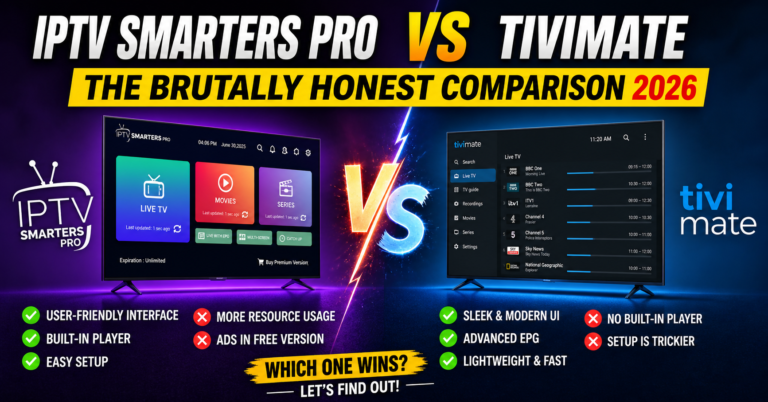
IPTV Smarters Pro offers the widest device compatibility. It runs on iOS, Android, Windows, macOS, Samsung Smart TVs, LG Smart TVs, and more. Its interface is clean and familiar. But Smarters has been removed from Google Play Store before, and its development pace has slowed. If you want to explore Smarters further, we’ve published a detailed IPTV Smarters Pro setup guide covering every device.
TiviMate is the enthusiast’s choice. Its EPG implementation is the best in the market. Recording, scheduled viewing, and multi-playlist management are all superior. But TiviMate is Android-only, requires a paid Premium subscription for its best features, and offers zero rebranding capability.
Neutro IPTV Player sits between them. Its UI is more polished than Smarters, less feature-rich than TiviMate, but it offers something neither competitor does: a complete white-label rebranding service with a DNS management panel. For resellers who want their subscribers using a branded app, Neutro is currently the most accessible route to that.
For subscribers who just want something that works well and don’t care about rebranding, TiviMate on Android or Smarters on iOS remains the stronger choice. Neutro IPTV Player is most compelling when rebranding is part of the equation.
Frequently Asked Questions
Does Neutro IPTV Player work on iPhone or iPad?
Neutro IPTV Player now has a macOS version available through the App Store, but there is no native iOS version for iPhone or iPad as of 2026. If you need an IPTV player on Apple mobile devices, alternatives like IPTV Smarters Pro or GSE Smart IPTV currently offer better iOS support. Neutro’s development roadmap has not confirmed a standalone iPhone release.
Is Neutro IPTV Player free to use?
Yes, Neutro IPTV Player is completely free for individual subscribers who just want to stream content from their IPTV provider. The only paid element is the APK rebranding service, which is designed for IPTV providers and resellers who want a custom-branded version of the app with their own logo, name, and DNS controller panel.
Why does my EPG show the wrong times on Neutro IPTV Player?
EPG timezone misalignment is the most frequent cause. Your provider’s XMLTV feed may output times in UTC, while your device is set to a different timezone. Inside Neutro IPTV Player settings, adjust the EPG time offset by +1 or -1 hours until the schedule matches your local time. If the EPG is entirely blank, the issue is your provider’s feed, not the player.
Can I use Neutro IPTV Player with an M3U playlist instead of Xtream Codes?
You can, but results vary. M3U support exists in Neutro IPTV Player, allowing you to load playlists from a URL or local file. However, M3U playlists often lack the structured metadata that Xtream Codes API provides, resulting in missing VOD sections, no series categorisation, and limited or absent EPG data. API login is always the better option when available.
How does the Neutro rebranded APK DNS panel work for resellers?
When you purchase Neutro IPTV Player’s rebranding service, you receive access to a web-based DNS controller panel. This panel lets you change the server portal address that the rebranded app connects to — remotely, without requiring subscribers to update or reinstall anything. If your server DNS gets blocked or you migrate to new infrastructure, you push the change through the panel and all connected apps pick it up on next login.
Is Neutro IPTV Player safe to sideload on Firestick?
Sideloading Neutro IPTV Player’s APK from the official download link (d.neutroiptvplayer.com/apk) carries the same risk profile as sideloading any non-Play Store app. The APK itself is not flagged as malicious by major antivirus tools. Enable “Install Unknown Apps” for your Downloader app on Firestick, download the APK through the official URL, and install. Always avoid third-party APK hosting sites that may bundle modified versions.
Does Neutro IPTV Player support catch-up TV and recording?
Neutro IPTV Player supports catch-up playback if your IPTV provider enables the catch-up function on their Xtream Codes panel. Recording functionality is not natively built into the app. If recording is important to your setup, TiviMate Premium currently offers the most reliable IPTV recording feature among competing players.
What should I do if Neutro IPTV Player keeps showing a login error?
Login errors on Neutro IPTV Player typically stem from three causes: incorrect portal address or credentials, an expired subscription on the provider’s panel, or DNS-level blocking by your ISP. First verify your credentials are correct by testing them in a browser. If they work in a browser but fail in the app, change your device DNS to 1.1.1.1 or 8.8.8.8 and retry. If the issue persists, contact your IPTV provider to confirm your subscription status.
Your Neutro IPTV Player Setup Checklist
- Download the APK only from the official source — d.neutroiptvplayer.com/apk for Android devices, Microsoft Store for Windows, App Store for macOS
- Use Xtream Codes API login over M3U whenever your provider supports it
- Immediately configure your playback engine (ExoPlayer for HLS streams, VLC for MPEG-TS)
- Set the EPG timezone offset before assuming your guide is broken
- Hide unnecessary channel groups and pin your most-watched categories to the top
- Change your device DNS to 1.1.1.1 or 8.8.8.8 to bypass basic ISP DNS poisoning
- If you’re a reseller evaluating the rebranding service, test the free version of Neutro IPTV Player with your panel first — confirm compatibility before paying for the rebrand
- Enable parental controls during subscriber onboarding, not as an afterthought
- Keep your provider’s direct Xtream Codes panel URL bookmarked — it’s your diagnostic baseline when something breaks
- Bookmark britishreseller.com for ongoing guides covering IPTV apps, reseller panel management, and troubleshooting across every major player