
Most people buying a 4 channel IPTV encoder box for the first time assume the hardest part is the hardware. It isn’t. The hardware almost always works. What breaks down is everything around it — the network configuration, the bitrate decisions made without understanding the downstream impact, and the quiet assumption that encoding and delivery are the same problem. They are not.
This guide is written from the operator side. Not the spec sheet side.
What a 4 Channel IPTV Encoder Box Actually Does in a Live Environment
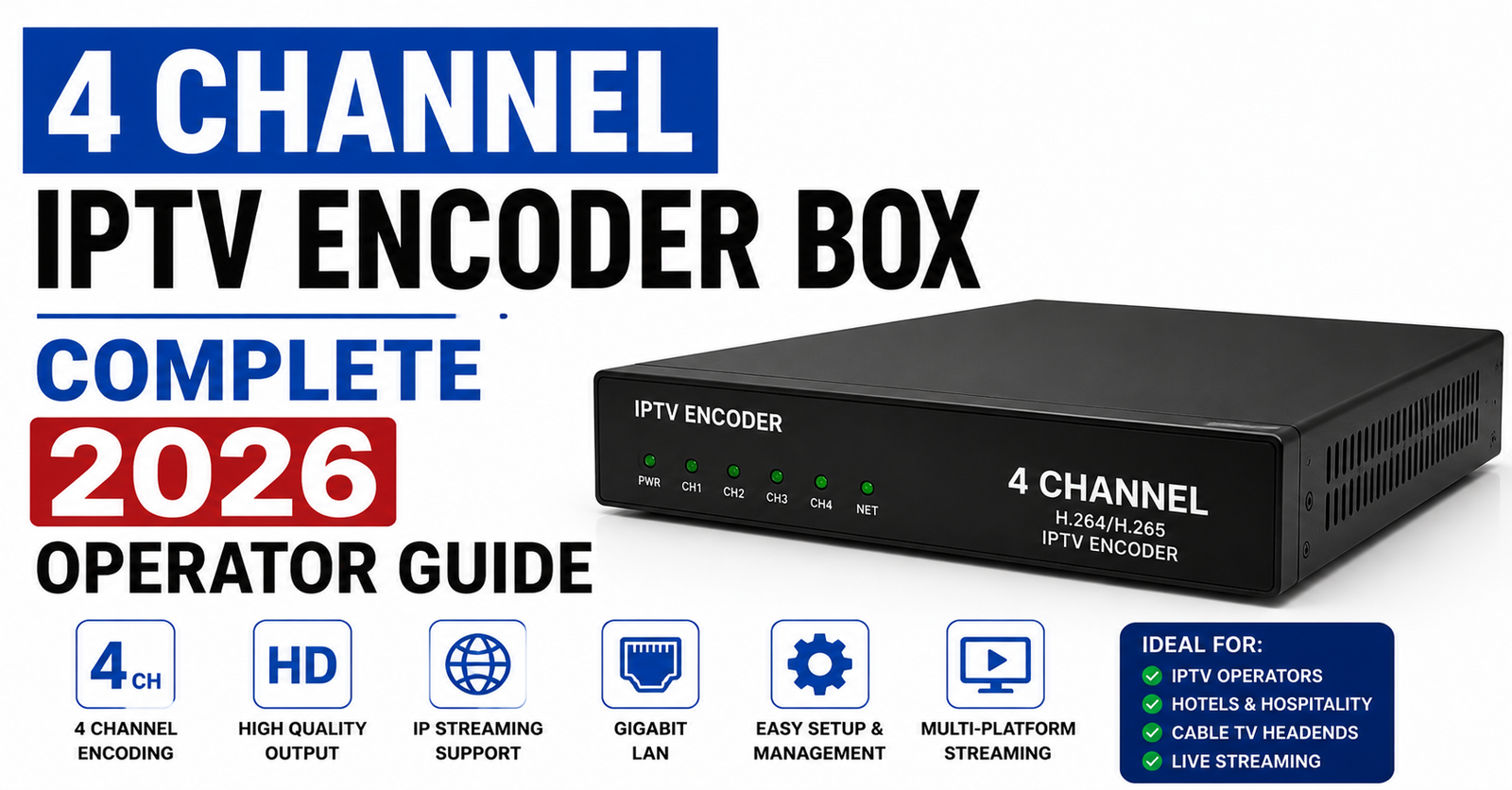
Strip away the marketing language and a 4 channel IPTV encoder box does one job: it takes a raw video signal — from a camera, a satellite receiver, a broadcast feed, or a capture card — and converts it into a stream able format that an IPTV panel can handle and deliver.
The “4 channel” part means you can handle four simultaneous inputs. In practice, this is useful for:
- Small community broadcast setups running a few local channels
- Hotel and hospitality environments needing multi-room delivery
- Resellers building private label content channels
- Sports venue operators delivering live feeds across multiple screens simultaneously
What gets glossed over in product listings is that a 4 channel IPTV encoder box is only as stable as the network feeding it and the panel receiving it. The box itself is rarely the point of failure. The configuration around it usually is.
The Signal Chain Nobody Draws on the Brochure
Before you choose a 4 channel IPTV encoder box, map your full signal chain on paper. Every single hop.
Source → Encoder → Output Protocol → Panel Ingest → CDN / HLS Delivery → End Device
We reviewed a setup last year where an operator had invested in a well-specced encoder but was pushing output through a cheap unmanaged switch into a panel server with no load balancing. During a local football broadcast, the feed froze for every connected viewer within ninety seconds of kickoff. The encoder was fine. The network path was not.
The chain breaks at the weakest link, not the most expensive one.
A 4 channel IPTV encoder box running H.264 at 4 Mbps per channel is putting 16 Mbps of continuous data onto your local network before a single packet hits your panel. If your uplink cannot sustain that cleanly, no encoder setting will save you.
H.264 vs H.265: The Decision That Affects Every Downstream Device
Every modern 4 channel IPTV encoder box supports at least H.264. Many now support H.265 (HEVC). The choice between them is not simply about quality — it is about compatibility across your subscriber device base.
| Codec | Bandwidth Efficiency | Device Compatibility | CPU Load on Decoder |
|---|---|---|---|
| H.264 | Standard | Near-universal | Low |
| H.265 | ~40% better | Limited on older Android boxes | Medium to High |
H.265 is genuinely impressive for reducing bandwidth costs at scale. But one operator we worked with switched their encoder output to H.265 and immediately received a surge in “black screen” complaints from subscribers on older MAG boxes and budget Android sticks. The encoder was performing perfectly. The end devices simply could not decode the output.
Pro Tip: If your subscriber base includes a mix of device generations — which most UK IPTV reseller customer bases do — default to H.264 until you have confirmed device compatibility data. The bandwidth savings from H.265 are not worth the support ticket volume.
Output Protocols: RTSP, HLS, UDP, and When Each One Matters
A 4 channel IPTV encoder box typically outputs via one or more of the following protocols. Choosing incorrectly creates problems that look like encoder failures but aren’t.
RTSP (Real-Time Streaming Protocol) Low latency. Works well for closed local network delivery. Not ideal for internet distribution without a media server in between.
HLS (HTTP Live Streaming) Segmented delivery over HTTP. Works everywhere. Higher latency by design. Best for internet-facing IPTV delivery through a panel.
UDP Multicast Extremely efficient on local networks. Completely unsuitable for internet delivery. Often used in hospitality and enterprise environments where all screens are on the same managed network.
RTMP Common for pushing to streaming platforms. Some encoder boxes support this as a secondary output path.
The mistake we see most frequently: operators configure their 4 channel IPTV encoder box to output RTSP and then try to deliver it directly to remote subscribers without a proper media server or transcoding layer. RTSP is not designed for that use case.
Bitrate Settings: Where Most Operators Make Their First Expensive Mistake
Pro Tip: Your bitrate setting on the encoder is a commitment your entire delivery infrastructure has to honour for every connected viewer simultaneously. Set it wrong and you are not just degrading quality — you are potentially making your stream undeliverable.
Here is a practical starting framework for a 4 channel IPTV encoder box in a reseller context:
- Standard Definition (576p): 1.5–2.5 Mbps per channel
- 720p HD: 2.5–4 Mbps per channel
- 1080p Full HD: 4–8 Mbps per channel
At four channels simultaneously, a 1080p configuration at 6 Mbps per channel puts 24 Mbps of sustained output on your uplink. Factor in protocol overhead and you are realistically looking at 26–28 Mbps of committed bandwidth.
Many operators buy a 50 Mbps business broadband connection thinking they have headroom. They do — until they add transcoding overhead, panel communication traffic, and monitoring systems. Always calculate encoder output as a percentage of your total usable uplink, not your headline connection speed.
Why Frame Rate Matters More Than Resolution in Live IPTV
Resolution gets most of the attention. Frame rate causes most of the actual viewer complaints.
A 1080p stream at 20 fps looks noticeably worse during motion — sports, live events, concerts — than a 720p stream at 50 fps. If you are building channels around live content, configure your 4 channel IPTV encoder box for 50 fps (PAL standard for UK/EU markets) rather than defaulting to 30 fps because it appears in most tutorials written for North American broadcast standards.
During a live Premier League broadcast setup review, we identified an operator whose encoder was configured at 1080p/25fps. Subscribers were reporting the feed looked “blurry during fast play.” The resolution was not the problem. The frame rate was too low for high-motion sports content. Switching to 720p/50fps resolved the complaints immediately despite the apparent resolution reduction.
Network Infrastructure Around Your Encoder Box
A 4 channel IPTV encoder box performs at the level of the network infrastructure it sits inside. This is worth repeating because it is the single most common source of unexplained encoder “failures.”
Checklist: Minimum Network Requirements Around Your Encoder
- Dedicated VLAN or network segment for encoder traffic
- Managed switch (not unmanaged consumer-grade hardware)
- Wired Ethernet connection — no Wi-Fi under any circumstances
- Monitored uplink with alerting for saturation above 70%
- Separate uplink for encoder output vs panel management traffic where possible
- UPS (Uninterruptible Power Supply) protecting both encoder and network hardware
- Static IP assignment for encoder — never DHCP for production hardware
If any of those items are missing from your current setup, your encoder’s performance ceiling is already artificially limited by infrastructure.
Panel Integration: What the Encoder Documentation Won’t Explain
Your 4 channel IPTV encoder box generates streams. Your IPTV panel delivers them. These two systems do not automatically cooperate.
The most common integration failure is stream URL instability. Encoder boxes often generate stream addresses that include dynamic port assignments or session tokens that change on reboot. If your panel is pulling stream URLs from the encoder and those URLs are not static, every encoder restart breaks your channel lineup.
Step-by-Step: Stable Encoder-to-Panel Integration
- Assign a static IP to the encoder at the router level (MAC-based reservation)
- Configure the encoder to output on fixed, predictable ports (not dynamic)
- Document the full stream URL for each channel before pointing the panel at it
- Test stream URL persistence across encoder restarts before going live
- Set up monitoring on the stream URLs — not just the encoder device — so you detect stream failures, not just hardware failures
- Store backup stream URLs pointing to a secondary encoder or failover source
Resellers building private channels through britishseller.co.uk infrastructure consistently report that stable stream URL management is where new operators lose the most time in their first month of operation.
Thermal Management: The Failure Mode Nobody Monitors
An encoder box running four simultaneous high-bitrate streams generates significant heat. In a rack or enclosed cabinet without active airflow, internal temperatures can reach levels that trigger thermal throttling — where the processor deliberately reduces performance to avoid damage.
Thermal throttling on a 4 channel IPTV encoder box does not announce itself. The stream does not stop. The quality degrades subtly. Bitrate drops inconsistently. Viewers report “random buffering” that appears and disappears. Support tickets pile up. The encoder keeps running.
One operator spent three weeks investigating panel-side issues before a basic thermal audit revealed their encoder box was running at 78°C in a poorly ventilated cabinet. Moving it to an open rack shelf and adding a basic exhaust fan resolved the intermittent quality issues immediately.
Pro Tip: Install a simple temperature monitoring sensor in any enclosure housing an encoder. Hardware is cheap. Customer churn is not.
Multi-Channel Synchronisation and Why It Matters for Hospitality Deployments
In hotel and hospitality environments, a 4 channel IPTV encoder box is often used to deliver four channels to hundreds of rooms simultaneously. In this context, audio-video synchronisation across all four channels is critical in a way it simply is not for a home reseller setup.
If Channel 2 drifts 200 milliseconds out of sync with Channel 1, every viewer switching between those channels notices immediately. In a hotel, that means front desk calls.
Synchronisation problems typically originate from:
- Mixed input sources with different refresh rates
- Inconsistent GOP (Group of Pictures) settings across channels
- Panel-side transcoding introducing variable latency per channel
Configure your GOP settings consistently across all four channels on your encoder. Match the keyframe interval to your target segment length if using HLS output. Mismatched GOP and HLS segment settings are responsible for a large proportion of “stuttering” complaints in multi-channel hospitality deployments.
Redundancy Planning for a 4 Channel IPTV Encoder Box Setup
No encoder box runs forever without interruption. Power failures happen. Firmware updates brick devices. Hardware fails. If your entire channel lineup depends on a single 4 channel IPTV encoder box with no failover, you have a single point of failure sitting at the foundation of your service.
Practical redundancy options by budget:
| Approach | Cost Level | Recovery Time | Complexity |
|---|---|---|---|
| Cold spare encoder (manual switchover) | Low | 5–15 minutes | Low |
| Warm spare with pre-configured streams | Medium | 1–3 minutes | Medium |
| Dual encoder with automated failover | High | Under 30 seconds | High |
For most small UK IPTV resellers and hospitality operators, a warm spare configured identically to the primary encoder is the practical sweet spot. The cost of the spare is recovered the first time a hardware failure does not result in a full service outage.
Frequently Asked Questions
What does a 4 channel IPTV encoder box do exactly?
It converts up to four simultaneous video inputs — from cameras, satellite receivers, or broadcast sources — into streamable formats like H.264 or H.265. The output can then be delivered through an IPTV panel to subscribers. It is the bridge between a raw video source and a deliverable IPTV stream.
Which output protocol should I use on my 4 channel IPTV encoder box?
For internet-facing IPTV delivery, HLS is the most compatible and panel-friendly option. For local closed-network environments such as hotels, UDP multicast offers superior efficiency. RTSP works well for short-range delivery but requires a media server layer for wider distribution.
Can I use a 4 channel IPTV encoder box for live sports streaming?
Yes, but configure it for 50 fps rather than 25 or 30 fps if your audience is in the UK or EU. Sports content at low frame rates produces visible motion blur during fast play. Resolution matters less than frame rate for live sports delivery.
How much bandwidth does a 4 channel IPTV encoder box require?
At 1080p with four active channels at approximately 6 Mbps per channel, expect 24–28 Mbps of sustained output including protocol overhead. A dedicated business broadband line with at least 50 Mbps uplink is the minimum for this configuration. Add headroom for panel traffic and monitoring.
As an IPTV reseller, should I operate my own encoder or rely on my provider’s channel lineup?
Operating your own 4 channel IPTV encoder box makes sense if you are building private label or local channels not available through standard panel sources. For standard international channel packages, relying on your panel provider’s infrastructure is more cost-effective and less operationally demanding.
Why does my encoder stream buffer randomly even when the encoder looks fine?
Random buffering with no visible encoder fault is most commonly caused by thermal throttling, uplink saturation, or unstable stream URL delivery on the panel side. Check encoder temperature, monitor your uplink utilisation over time, and verify stream URLs are stable across encoder restarts.
What is the difference between H.264 and H.265 on a 4 channel IPTV encoder box?
H.265 is approximately 40 percent more bandwidth-efficient than H.264 at equivalent quality. However, it requires more processing power to decode and is not supported by all subscriber devices, particularly older Android and MAG hardware. H.264 remains the safer default for mixed device environments.
How do I integrate a 4 channel IPTV encoder box with an Xtream Codes panel?
Generate static HLS output URLs from your encoder, assign a fixed IP to the device, and add the stream URLs as external sources within your panel’s channel management section. Ensure the stream URLs are persistent across encoder reboots before publishing them to your subscriber lineup.
Execution Checklist
For Subscribers
- Confirm your IPTV provider’s encoder output is H.264 if you use an older MAG box or budget Android stick
- If experiencing random buffering on specific channels, ask your provider whether those channels originate from an encoder source or a panel-side stream
- Report sync issues (audio ahead of video or behind) separately from buffering — they have different causes and different fixes
For Resellers
- Map your full signal chain before purchasing any encoder hardware
- Assign static IPs to all encoder devices — never rely on DHCP for production equipment
- Monitor stream URLs independently from monitoring the encoder device itself
- Calculate your total encoder output bandwidth before committing to an uplink contract
- Keep a warm spare encoder configured and ready — never run a single point of failure at the foundation of your service
- Test your 4 channel IPTV encoder box output across at least three different device types before going live with subscribers
For Sub-Resellers
- Understand whether the channels you are reselling originate from an encoder source or a standard panel lineup — the stability profile is different for each
- If your upstream provider is running encoder-sourced channels, ask about their redundancy setup before committing customers to those channels
- Report thermal-related intermittent issues to your provider as a pattern, not individual incidents — pattern reporting gets faster infrastructure responses
There are no shortcuts in encoder infrastructure. A 4 channel IPTV encoder box is a serious piece of operational equipment, and the operators who treat it that way — with proper network planning, thermal management, redundancy, and panel integration discipline — are the ones whose channels stay live when everyone else’s go dark.