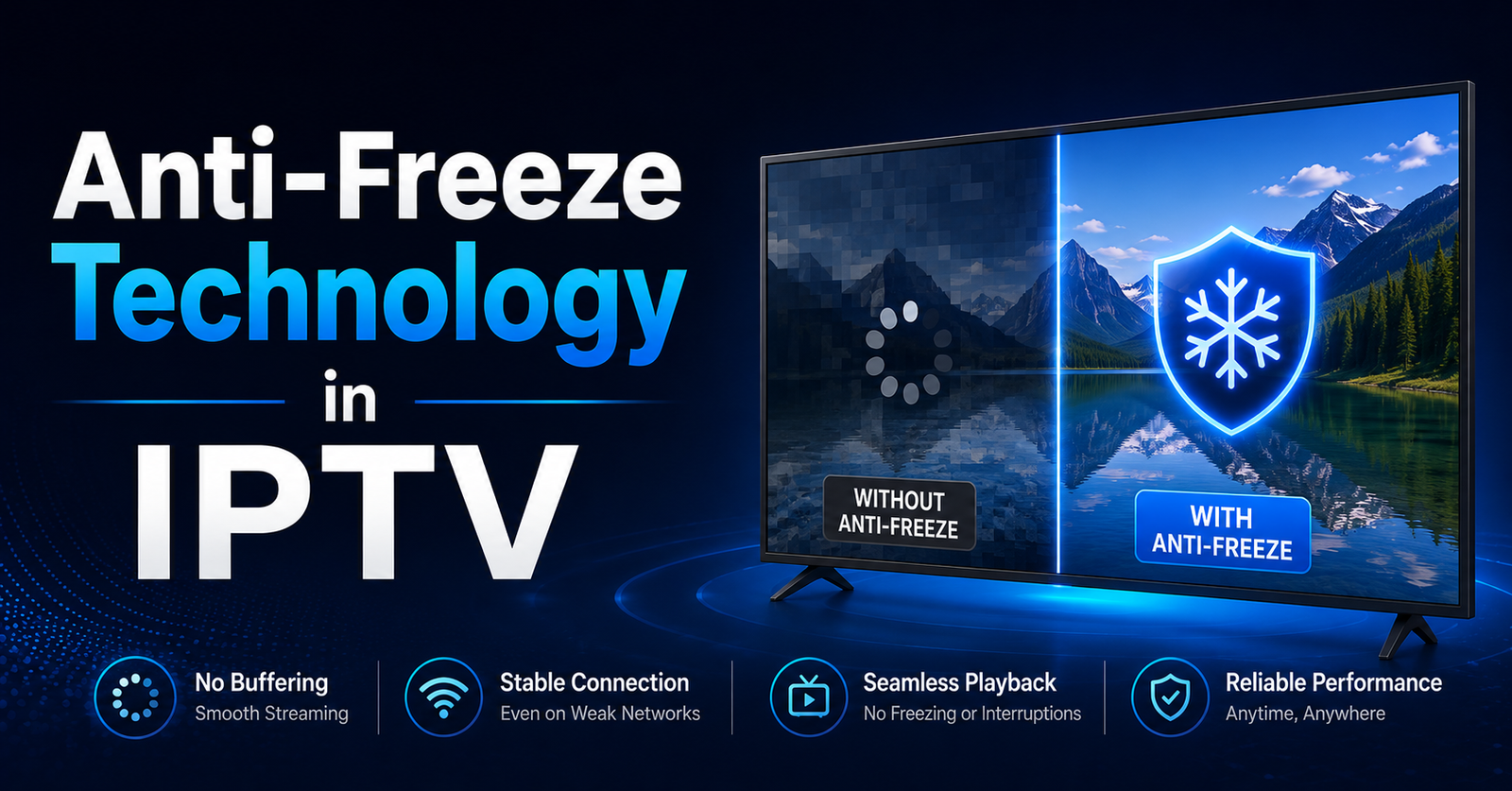

There is a particular silence that every IPTV reseller dreads. Not the silence of an empty WhatsApp inbox — that would be a holiday. The silence that falls when a subscriber’s stream freezes mid-match, right before the goal, and they sit there staring at a spinning wheel deciding whether to request a refund or simply vanish. That subscriber rarely comes back. And the reseller rarely understands why it happened at a technical level, because nobody in this industry talks about Anti-Freeze Technology in IPTV with any mechanical honesty.
The phrase gets tossed around on provider dashboards, sprinkled into Telegram group sales pitches, slapped onto panel descriptions like a badge. But ask most resellers what Anti-Freeze Technology in IPTV actually does — at protocol level, at server level, at the point where packets meet the viewer’s screen — and you get a shrug dressed up in marketing language.
That stops with this article. Not because the concept is complicated. It isn’t. But because the gap between understanding it and ignoring it is the gap between a reseller who retains 80 percent of subscribers past month two and one who burns through leads like cigarettes.
We are going to dismantle Anti-Freeze Technology in IPTV from the ground up. How it works mechanically. Why 2026 made it the single most important infrastructure consideration for any serious IPTV reseller operation. Where most providers fake it. And how you, as someone running a panel, can test whether your provider actually delivers it or just prints the words on a webpage.
How Anti-Freeze Technology in IPTV Functions at Protocol Level
Before anything else, let us kill a misconception. Anti-Freeze Technology in IPTV is not one feature. It is not a toggle you switch on inside an Xtream Codes panel. It is an umbrella term for a layered set of server-side and client-side engineering decisions that collectively prevent stream interruption during playback.
Most IPTV delivery runs on HLS or MPEG-DASH protocols. Both operate the same fundamental way — a live stream gets chopped into small segments, typically between two and eight seconds each. The player application on your subscriber’s device downloads these segments sequentially. Segment arrives on time, playback continues smoothly. Segment arrives late or not at all, the viewer sees a freeze.
Anti-Freeze Technology in IPTV intervenes at every vulnerable point in that chain:
- Predictive segment pre-fetching — The player downloads upcoming segments ahead of schedule, building a local buffer reservoir that absorbs network jitter without the viewer noticing
- Adaptive bitrate ladder switching — When available bandwidth drops, the stream shifts to a lower resolution tier rather than freezing, then scales back up once conditions recover
- Mid-stream CDN rerouting — If one content delivery node experiences congestion, the system redirects the stream to an alternative node without breaking playback continuity
- Dynamic segment sizing — HLS latency gets managed by adjusting segment duration in real time based on measured packet loss between server and client
None of this requires exotic hardware. It requires deliberate architecture. The difference between a provider who genuinely implements Anti-Freeze Technology in IPTV and one who merely claims it often comes down to whether they invested in the engineering or just relabelled their standard output settings.
The Three Pressures That Made Anti-Freeze Architecture Mandatory in 2026
A reseller operating in 2023 could survive with a provider running a single origin server in a well-connected European data centre. Subscribers tolerated occasional stutters because the price was right and expectations were lower. That era is finished, and three converging forces killed it.
AI-Powered ISP Detection Changed the Game Overnight. Major ISPs across the UK and Europe now deploy machine-learning traffic classifiers that identify IPTV streaming patterns not merely by port number or protocol header but by packet timing signatures and burst behaviour. When these classifiers flag a connection, throttling engages instantly. Streams without Anti-Freeze Technology in IPTV architecture collapse under throttling. Those with adaptive bitrate switching and CDN rerouting survive it, because they were built to treat hostile network conditions as the default rather than the exception.
Mainstream Platform Quality Became the Benchmark. Your subscribers do not compare your service to other IPTV providers. They compare it to the platforms they also pay for — the ones backed by billion-dollar CDN contracts. One visible freeze during a live event and the mental comparison happens automatically. Anti-Freeze Technology in IPTV is what closes that perception gap.
Pro Tip: Never evaluate a provider’s anti-freeze claims by watching a stream under perfect conditions. Deliberately throttle your test connection to 5 Mbps using a bandwidth limiter and observe how the stream responds. If it freezes rather than dropping resolution gracefully, the Anti-Freeze Technology in IPTV label on their panel is decoration, not engineering.
Multi-CDN Costs Collapsed. The infrastructure required for genuine anti-freeze delivery — multiple geographically distributed CDN nodes with intelligent failover — cost prohibitive amounts three years ago. In 2026, mid-tier providers can afford it. Those still running single-origin setups are choosing to deliver an inferior product, and their resellers pay the price in churn.
Where Most Providers Fake Anti-Freeze Technology in IPTV
Here is an uncomfortable truth that experienced resellers learn the hard way. A significant number of providers advertise Anti-Freeze Technology in IPTV on their panel descriptions and sales material without implementing it in any meaningful way. Understanding where the fakes hide protects your business and your subscribers.
The most common deception is a fixed buffer setting disguised as adaptive technology. The provider sets a static pre-buffer of ten or fifteen seconds on their server output. This means the player loads a chunk of content before playback begins, creating the illusion of stability. But this is not Anti-Freeze Technology in IPTV — it is just a delay. Once playback starts, there is no adaptive response to network degradation. The first bandwidth dip produces a freeze identical to a system with no anti-freeze at all.
| Feature | Genuine Anti-Freeze Implementation | Fake Anti-Freeze (Label Only) |
|---|---|---|
| Adaptive Bitrate | Switches dynamically mid-stream | Fixed single bitrate output |
| CDN Failover | Automatic rerouting to backup nodes | Single origin, no redundancy |
| Segment Sizing | Dynamic based on real-time conditions | Static 8-10 second segments |
| ISP Throttle Response | Reroutes through alternative uplinks | Stream collapses under throttling |
| Buffer Strategy | Predictive pre-fetching with jitter absorption | Fixed pre-buffer delay only |
| Packet Loss Handling | Retransmission requests with FEC correction | No error correction mechanism |
Another common trick is listing anti-freeze as a client-side-only feature. The provider tells resellers to recommend a specific player application — usually a modified fork of Smarters or TiviMate — that has aggressive buffering settings baked in. This pushes the anti-freeze burden entirely onto the subscriber’s device and internet connection. Genuine Anti-Freeze Technology in IPTV operates primarily at server level, with client-side behaviour complementing rather than replacing it.
The Backup Uplink Factor That Most Resellers Overlook
Resellers obsess over channel counts, EPG accuracy, and panel credit pricing. These matter. But the single infrastructure element that determines whether Anti-Freeze Technology in IPTV actually works under pressure is something most resellers never ask about — backup uplink servers.
An uplink server is the point where your provider captures the original broadcast feed before transcoding and distributing it through their CDN. If that uplink fails or becomes congested, every downstream subscriber across every reseller panel experiences degradation simultaneously. No amount of CDN redundancy fixes a broken uplink.
Providers with serious Anti-Freeze Technology in IPTV architecture run multiple uplink servers across different geographic locations and different network carriers. When one uplink degrades, the system switches to a backup automatically. The reseller and the subscriber never notice because the failover happens at infrastructure level, before the stream reaches the distribution layer.
- Minimum viable uplink redundancy — At least two uplink sources per major content category, hosted on different carriers in different physical facilities
- Geographic uplink diversity — Uplinks distributed across at least two countries to mitigate regional network outages or ISP-level blocking
- Automated health monitoring — Real-time quality checks on each uplink feed with automatic switching when metrics drop below defined thresholds
- Carrier diversity for DNS poisoning resistance — Using multiple DNS resolvers and transport carriers prevents a single ISP-level DNS block from killing your entire feed intake
Pro Tip: Ask your provider directly how many uplink sources they maintain per content category and whether failover is automated or manual. If the answer involves someone physically switching servers during an outage, you do not have Anti-Freeze Technology in IPTV — you have a person with a laptop and a prayer.
How Anti-Freeze Technology in IPTV Impacts Subscriber Retention and Churn Psychology
Most resellers measure success by how many new subscribers they add each month. The operators who actually build profitable businesses measure something different — how many they keep. And Anti-Freeze Technology in IPTV sits at the centre of that retention equation in ways that are not immediately obvious.
Subscriber churn in IPTV follows a predictable psychological pattern. A new user signs up, tests the service during casual viewing, and forms an initial impression. That impression survives for approximately two to four weeks. During that window, if the subscriber experiences even two or three freezing incidents during content they care about, a mental reclassification occurs. The service moves from “worth keeping” to “temporary until I find something better.”
This reclassification is nearly irreversible. Once a subscriber mentally categorises your service as unreliable, no amount of EPG improvements or channel additions changes their mind. They leave — not always immediately, but inevitably.
Anti-Freeze Technology in IPTV directly prevents that reclassification moment. By ensuring streams adapt rather than freeze during network stress, the technology buys your service the benefit of the doubt during the critical retention window. Subscribers who never experience a freeze during their first month develop a fundamentally different relationship with your service than those who do.
The numbers bear this out across real panel data. Resellers connected to providers with genuine anti-freeze architecture consistently report retention rates fifteen to twenty-five percentage points higher than those using providers without it. Over twelve months, that difference compounds into dramatically different revenue trajectories — without changing a single thing about marketing, pricing, or channel lineup.
Load Balancing and Anti-Freeze Technology in IPTV During Peak Concurrent Viewing
Saturday evening. Major sporting event. Every subscriber on your panel tries to watch the same stream simultaneously. This is the moment that exposes whether your provider’s Anti-Freeze Technology in IPTV is real or fictional.
Peak concurrent load is not a bandwidth problem — it is a load distribution problem. A provider might have sufficient total bandwidth to serve every subscriber, but if that bandwidth funnels through a small number of server nodes, those nodes become bottlenecked. Individual streams stutter and freeze even though aggregate capacity exists.
Genuine Anti-Freeze Technology in IPTV addresses this through intelligent load balancing at multiple layers:
DNS-level distribution routes subscriber connections across different server clusters based on geographic proximity and current cluster load. A subscriber in Manchester hits a different node than one in London, and if the Manchester node fills up, new connections automatically route elsewhere.
Session-aware balancing monitors active stream quality per connection. If a specific server begins showing elevated HLS latency or increased segment delivery times, active sessions get migrated to healthier nodes mid-stream. The subscriber experiences a momentary quality dip — perhaps a brief resolution drop — rather than a freeze.
Origin shielding prevents every edge node from simultaneously hammering the origin server for the same popular stream. Instead, one edge node fetches the stream and shares it with peer nodes, reducing origin load by orders of magnitude during peak events.
| Load Handling Approach | Subscriber Experience During Peak | Reseller Impact |
|---|---|---|
| No load balancing | Widespread freezing, mass complaints | Refund requests spike, trust destroyed |
| Basic round-robin DNS | Uneven distribution, some freeze while others don’t | Inconsistent reputation, confused subscribers |
| Intelligent anti-freeze load balancing | Resolution adapts, playback continues | Minimal complaints, retention holds |
Pro Tip: Before a major event weekend, ask your provider about their expected peak capacity and how many concurrent viewers per node they plan for. Providers with real Anti-Freeze Technology in IPTV will give you specific numbers. Those bluffing will give you vague reassurances.
Testing Anti-Freeze Technology in IPTV on Your Provider Before Committing Credits
Buying panel credits from a provider is a financial commitment. Testing their Anti-Freeze Technology in IPTV claims before that commitment separates professional resellers from gamblers. Here is a structured testing methodology that reveals the truth behind the marketing.
Step one — request a test line during off-peak hours. Watch a selection of standard-definition and high-definition streams for thirty minutes each. Note any buffering events, their duration, and whether recovery is automatic. This establishes your baseline under ideal conditions. Any freezing here is an immediate red flag — if the system cannot perform during low-load periods, peak performance will be catastrophic.
Step two — throttle your connection deliberately. Use a router-level QoS setting or a software bandwidth limiter to restrict your connection to 5 Mbps, then 3 Mbps. Observe how HD streams respond. Genuine Anti-Freeze Technology in IPTV will drop the stream to a lower resolution tier smoothly. Fake implementations will freeze or display a loading wheel.
Step three — test during a live event. This is non-negotiable. Request your test line to coincide with a major premium sports broadcast. This is when the provider’s infrastructure faces real concurrent load. Document stream stability, resolution consistency, and recovery speed from any interruptions.
- Note the time between a freeze event and stream recovery — under two seconds indicates server-side anti-freeze intervention, over five seconds suggests no active mechanism
- Check whether audio continues during video freezes — if audio persists, the system is performing adaptive bitrate switching and prioritising audio continuity
- Switch between three or four popular channels rapidly — fast channel switching response time indicates healthy server-side session management
Step four — test from multiple ISPs. If possible, test the same line from two different internet connections. Consistent quality across ISPs suggests the provider handles carrier diversity well. Quality that collapses on one ISP but works on another indicates the provider lacks the uplink diversity that proper Anti-Freeze Technology in IPTV requires.
Panel-Level Settings That Complement Anti-Freeze Technology in IPTV
Even with a provider that genuinely implements Anti-Freeze Technology in IPTV at infrastructure level, resellers still have a role to play at the panel and subscriber configuration level. Getting these settings right amplifies the anti-freeze architecture rather than fighting against it.
Output format selection matters more than most resellers realise. When creating subscriber lines, the output format — typically TS (Transport Stream) or HLS — affects how Anti-Freeze Technology in IPTV interacts with the end user’s player application. HLS generally provides better adaptive bitrate compatibility because it was designed with segment-based delivery and quality switching in mind. TS streams offer lower latency but less flexibility for anti-freeze mechanisms to operate.
Pro Tip: For subscribers watching primarily on Firestick and Android-based devices, default to HLS output format. For MAG box users, TS remains the standard and is handled differently at device firmware level. Matching output format to device type ensures Anti-Freeze Technology in IPTV mechanisms work as intended rather than being bypassed by format incompatibility.
Buffer size recommendations for subscribers. Many player applications allow manual buffer configuration. Advising your subscribers to set their player buffer between three and eight seconds creates a local safety net that works alongside server-side Anti-Freeze Technology in IPTV. Setting it too high introduces unnecessary playback delay. Setting it too low eliminates the client-side buffer advantage entirely.
Connection limit enforcement protects everyone. When subscribers share their credentials beyond the allowed connection count, each additional concurrent stream consumes server resources and potentially triggers load-based throttling on the provider’s infrastructure. Enforcing connection limits at panel level is not merely a business decision — it directly supports the conditions under which Anti-Freeze Technology in IPTV performs optimally.
Why DNS Configuration Silently Breaks Anti-Freeze Technology in IPTV
A reseller can choose the right provider, configure the panel correctly, and advise subscribers on optimal player settings — and still watch Anti-Freeze Technology in IPTV fail at the subscriber’s end because of something nobody discussed. DNS configuration.
When a subscriber’s device resolves your provider’s server address through their ISP’s default DNS, two problems emerge. First, ISP DNS servers are increasingly used as the first enforcement point for blocking IPTV domains. DNS poisoning — where the ISP returns a false or null response for a known IPTV server domain — kills the connection before Anti-Freeze Technology in IPTV even has a chance to operate. The stream does not buffer or freeze. It simply never connects.
Second, even when ISP DNS does resolve correctly, the resolution speed and caching behaviour of ISP DNS servers can introduce latency at the connection establishment phase. This is not a buffering issue during playback — it is a delay in initial stream loading and in channel switching speed that degrades the subscriber experience in a different but equally damaging way.
The fix is straightforward but requires subscriber-side action:
- Configure devices to use DNS providers outside the ISP’s infrastructure — services offering encrypted DNS resolution through DNS-over-HTTPS or DNS-over-TLS
- On router-capable setups, apply DNS settings at router level so every device on the household network benefits automatically
- For portable devices like phones and tablets, configure DNS at the application or device network settings level
This is one of those rare situations where the reseller who educates their subscribers gains a measurable competitive advantage. When Anti-Freeze Technology in IPTV works properly because DNS resolution is clean and fast, the subscriber attributes the quality to the service — which is exactly the perception you want to build.
Scaling a Reseller Operation Without Undermining Anti-Freeze Performance
Growth creates a paradox for IPTV resellers. Every new subscriber you add generates revenue but also increases load on your provider’s infrastructure. If the provider’s Anti-Freeze Technology in IPTV architecture cannot scale with your growth, the quality that attracted your early subscribers deteriorates precisely as your business starts succeeding.
Smart scaling requires resellers to think about provider capacity the way a restaurant owner thinks about kitchen capacity — adding more tables without expanding the kitchen eventually destroys the dining experience for everyone.
Monitor your provider’s performance as you grow. Track subscriber complaints per hundred active lines on a weekly basis. A gradual upward trend in buffering complaints is the early warning signal that your growth is outpacing the provider’s Anti-Freeze Technology in IPTV capacity. Do not wait for the spike — by then, churn has already begun.
Diversify across providers for risk mitigation. Running your entire subscriber base through a single provider is the IPTV reseller equivalent of investing your entire portfolio in one stock. If that provider’s infrastructure degrades, you lose everything simultaneously. Splitting your panel across two or three providers — each with verified Anti-Freeze Technology in IPTV — creates redundancy at the business level that mirrors the server-level redundancy the technology itself provides.
- Assign different subscriber segments to different providers based on primary content interest
- Maintain test lines on backup providers and monitor quality weekly
- Have a migration plan ready — know how quickly you can move subscriber lines to an alternative provider if your primary degrades
Pro Tip: The resellers who survive long-term in this industry treat provider relationships like supply chain management, not like a marriage. Loyalty to a provider whose Anti-Freeze Technology in IPTV has degraded is not loyalty — it is negligence toward your subscribers and your revenue.
Frequently Asked Questions
What exactly is Anti-Freeze Technology in IPTV and how does it differ from standard buffering?
Anti-Freeze Technology in IPTV is a set of server-side and client-side mechanisms — including adaptive bitrate switching, predictive segment pre-loading, and CDN failover routing — that actively prevent stream interruption. Standard buffering simply delays playback to load a fixed chunk of data upfront. Anti-freeze systems respond dynamically to real-time network conditions, adjusting quality and routing rather than allowing the stream to stall.
Can Anti-Freeze Technology in IPTV prevent freezing caused by ISP throttling?
It significantly reduces the impact but cannot eliminate it entirely. When ISP throttling engages, genuine anti-freeze architecture reroutes streams through alternative uplinks and reduces bitrate to maintain continuous playback. However, if an ISP blocks the provider’s server domains at DNS level rather than throttling bandwidth, no server-side anti-freeze mechanism can intervene — which is why subscriber-side DNS configuration is equally important.
How can a reseller verify whether a provider genuinely offers Anti-Freeze Technology in IPTV?
Test the provider’s streams under deliberate stress conditions. Throttle your bandwidth to 3-5 Mbps and observe whether HD streams adapt by reducing resolution or simply freeze. Test during peak events with high concurrent viewer counts. If the stream degrades gracefully rather than collapsing, the anti-freeze implementation is genuine. Ask the provider about their uplink redundancy and CDN node count — vague answers indicate vague infrastructure.
Does Anti-Freeze Technology in IPTV increase the cost of panel credits for resellers?
Providers with genuine anti-freeze infrastructure typically price credits slightly higher because multi-CDN setups and redundant uplinks carry real operational costs. However, the return on that price difference manifests in dramatically lower subscriber churn. A reseller paying ten percent more per credit but retaining twenty percent more subscribers generates significantly higher lifetime revenue per customer.
Is Anti-Freeze Technology in IPTV relevant for subscribers watching on mobile devices over cellular data?
It is arguably more important on mobile than on fixed broadband. Cellular connections fluctuate constantly in available bandwidth as users move between coverage areas. Anti-Freeze Technology in IPTV with adaptive bitrate switching handles these fluctuations by continuously adjusting stream quality to match available throughput, preventing the repeated freezing that would otherwise make mobile IPTV viewing unusable.
What player applications work best with Anti-Freeze Technology in IPTV?
Players that support HLS adaptive streaming natively tend to benefit most. Applications with configurable buffer settings between three and eight seconds complement server-side anti-freeze mechanisms effectively. The specific player matters less than its compatibility with the output format your provider uses — mismatched formats can bypass anti-freeze mechanisms entirely regardless of player quality.
Can I implement Anti-Freeze Technology in IPTV on my own server if my provider lacks it?
No. Anti-Freeze Technology in IPTV operates at the origin and CDN infrastructure level where streams are sourced, transcoded, and distributed. A reseller operates at the panel and subscriber management level. You cannot add server-side adaptive bitrate switching or CDN failover to streams that arrive from your provider without those capabilities. Choosing a provider with genuine anti-freeze architecture is the only solution.
How does Anti-Freeze Technology in IPTV affect channel switching speed?
Properly implemented anti-freeze architecture actually improves channel switching speed because it typically includes session pre-warming and intelligent segment caching. When a subscriber switches channels, the system can begin segment delivery from a nearby cached node rather than requesting fresh content from origin. Poorly implemented systems may slow switching because aggressive buffering settings force the player to pre-load large segments before playback begins.
Your Anti-Freeze Readiness Checklist: Execution Steps for Resellers
1. Audit your current provider’s anti-freeze claims this week. Run the four-step testing methodology outlined above — off-peak baseline, throttled bandwidth test, live event test, and multi-ISP test. Document results with timestamps and screenshots.
2. Request specific infrastructure answers from your provider. Ask for uplink redundancy count, CDN node locations, and whether failover is automated or manual. Record the answers. Providers who cannot answer specifically do not have what they are advertising.
3. Set your panel output format to match subscriber device profiles. HLS for Firestick and Android device users. TS for MAG box subscribers. Mismatched formats undermine Anti-Freeze Technology in IPTV at the last mile.
4. Create a subscriber onboarding guide that includes DNS configuration. Walk new subscribers through setting up encrypted DNS on their devices or routers. This single step eliminates the most common reason Anti-Freeze Technology in IPTV fails at the subscriber end.
5. Enforce connection limits without exception. Credential sharing overloads server resources and degrades anti-freeze performance for every subscriber on the node. Treat enforcement as infrastructure protection, not just revenue protection.
6. Establish a weekly quality monitoring routine. Track complaint volume per hundred active lines. Watch for upward trends before they become crises. Test your own streams during peak hours every Saturday.
7. Identify and maintain a backup provider relationship. Test a secondary provider’s Anti-Freeze Technology in IPTV quarterly. Keep migration procedures documented so you can move subscriber blocks within hours if your primary provider degrades.
8. Invest the credit price difference in genuine anti-freeze infrastructure. The margin compression from slightly higher credit costs is recovered many times over through improved retention. Calculate the lifetime value difference and let the numbers make the decision.
For IPTV resellers ready to build on infrastructure that prioritizes stream stability and subscriber retention, explore panel options and credit structures at British Seller — where Anti-Freeze Technology in IPTV is treated as an engineering standard, not a marketing afterthought.



