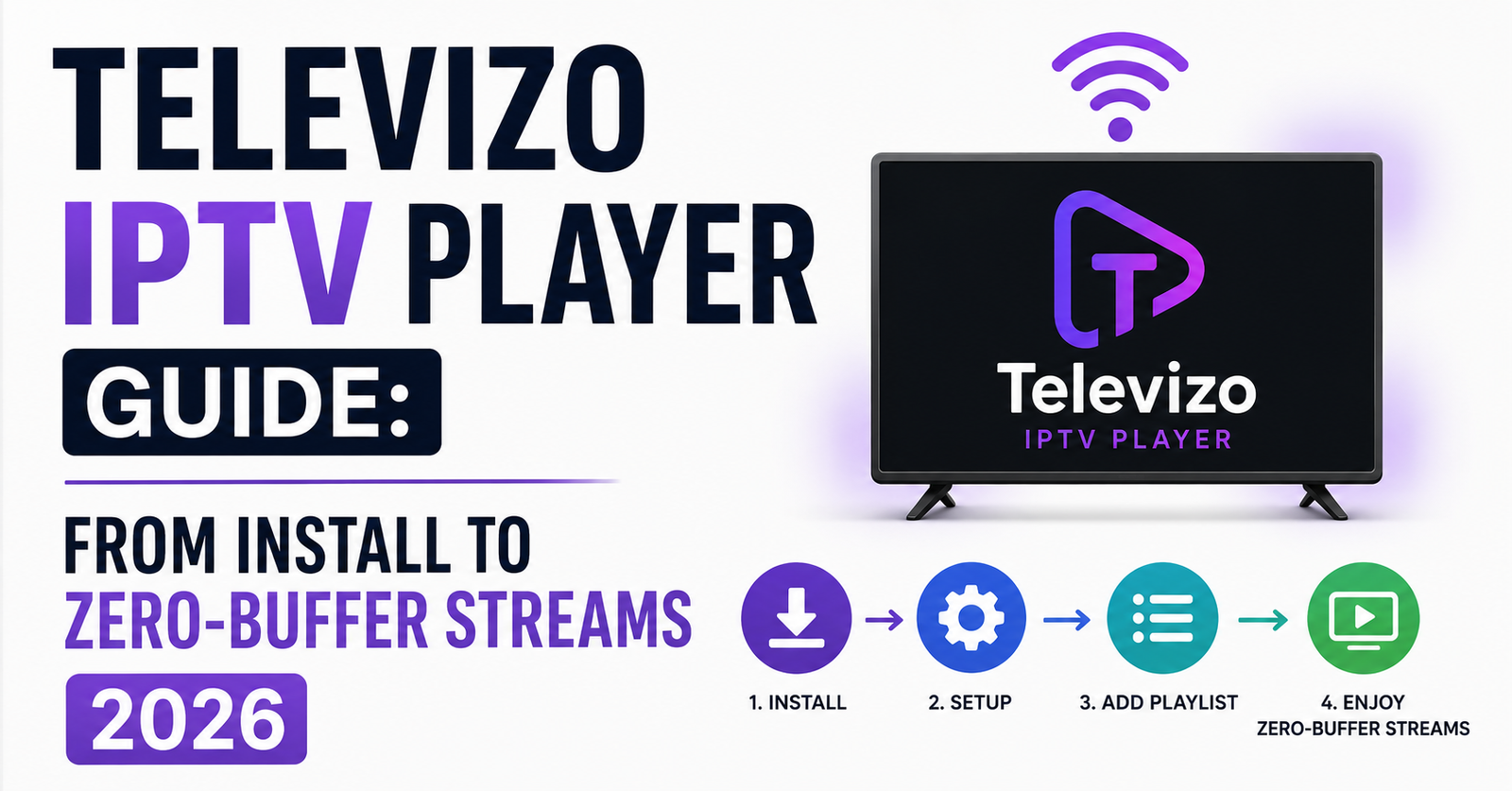

Nobody talks about the moment a reseller’s entire subscriber base starts complaining at once. Saturday evening, premium sports stream, and every single household on your panel is buffering. You check your server — uplinks are fine. Credits are loaded. The panel dashboard shows green across the board. So where’s the bottleneck?
Nine times out of ten, it’s the player app sitting on the subscriber’s device. And if that app happens to be poorly configured, no amount of server-side optimization will save you. This is exactly why Televizo IPTV Player has become a quiet favourite among operators who actually understand the last mile of their delivery chain.
Televizo IPTV Player isn’t just another M3U loader with a pretty interface. It’s one of the few Android-based IPTV applications that gives you granular control over decoder settings, buffer management, and EPG handling — the three pillars that separate a smooth viewing experience from a complaint-generating disaster. If you’re running a reseller operation and you haven’t standardized your subscriber base around a player that lets you fine-tune these parameters, you’re leaving money on the table through churn you could have prevented.
This guide isn’t a feature list copy-pasted from a Play Store description. It’s built from operational experience — configuring Televizo IPTV Player across hundreds of subscriber devices, troubleshooting edge cases that don’t appear in any FAQ, and deploying it as a default recommendation within IPTV reseller ecosystems that serve thousands of concurrent viewers.
What Makes Televizo IPTV Player Different From Generic Alternatives
Most IPTV player apps on Android follow the same template. They load an M3U playlist or accept Xtream Codes API credentials, display a channel list, and call it a day. The problem with this approach is that it treats every network condition, every device chipset, and every stream format identically.
Televizo IPTV Player breaks from that pattern by offering a layered settings architecture. You get separate controls for hardware versus software decoding, adjustable buffer durations measured in milliseconds, and native EPG parsing that doesn’t rely on a third-party overlay. For a subscriber sitting in a household with moderate broadband, this means the difference between a stream that locks in two seconds and one that spins for fifteen.
From a reseller’s perspective, the value proposition is straightforward. When you standardize your subscriber base on Televizo IPTV Player, you reduce the volume of support tickets caused by player-side misconfigurations. Every hour you don’t spend walking someone through “why is my screen black” is an hour you can spend acquiring new customers or negotiating better panel rates.
Pro Tip: When onboarding new subscribers, send them a pre-configured Televizo IPTV Player settings backup file. This eliminates 80% of first-week support requests and dramatically improves retention past the critical 30-day window.
Xtream Codes API vs M3U Playlist: Which Input Method Works Better Inside Televizo
Here’s a decision most resellers make once and never revisit, even though it directly affects stream stability and EPG accuracy. Televizo IPTV Player supports both Xtream Codes API login and direct M3U URL loading, but they don’t behave identically under the hood.
With Xtream Codes API integration, Televizo IPTV Player pulls category structures, VOD libraries, and series content directly from your panel’s API endpoint. The channel grouping mirrors what you’ve configured server-side, which means your subscribers see exactly the layout you intended. EPG data syncs through the API’s built-in XML feed, reducing the need for manual EPG URL entries.
M3U playlists, on the other hand, give you more flexibility for custom channel ordering but sacrifice the automatic category sync. If your panel’s M3U output doesn’t include proper group-title tags, Televizo will dump every channel into a single flat list — which is a terrible subscriber experience.
| Feature | Xtream Codes API | M3U Playlist |
|---|---|---|
| Auto Category Sorting | Yes — pulls from panel | Only if group-title tags present |
| VOD + Series Support | Full library access | Limited or absent |
| EPG Sync | Automatic via API | Requires separate XML URL |
| Reconnection on Failure | Token-based retry | URL re-fetch required |
| Subscriber Experience | Polished and structured | Raw, needs manual tweaking |
For any reseller running more than 50 active lines, the Xtream Codes API method inside Televizo IPTV Player is the obvious choice. It reduces your configuration burden and gives subscribers a more professional-looking interface without you touching anything on their device.
Buffer Configuration: The Setting That Separates Smooth Streams From Churn
Let’s get technical for a moment, because this is where most operators either don’t know or don’t bother. Televizo IPTV Player allows you to manually set buffer size — and the default value is almost never optimal for IPTV delivery.
The default buffer in most players sits around 2–3 seconds. For a subscriber on a stable fibre connection streaming standard-definition content, that’s adequate. But IPTV reseller traffic isn’t standard. You’re dealing with HLS latency variations, fluctuating CDN routes, and peak-hour congestion that can spike jitter by 300% between 7 PM and 10 PM.
Inside Televizo’s advanced settings, increasing the buffer to 5–8 seconds creates a safety net that absorbs those jitter spikes without the subscriber ever noticing. Yes, it adds a few seconds of initial loading time. But a stream that takes 6 seconds to start and then plays flawlessly for three hours will always beat a stream that starts instantly and freezes every 12 minutes.
- Set buffer to 5000–8000 milliseconds for standard broadband connections
- Use hardware decoding as default, but switch to software decoding for older Amlogic chipsets
- Disable audio passthrough unless the subscriber has confirmed their TV supports Dolby
- Enable “reconnect on error” to handle brief server-side interruptions automatically
Pro Tip: If a subscriber reports buffering specifically during peak evening hours but streams fine during the day, don’t blame your server first. Check whether their ISP is throttling video traffic. Televizo IPTV Player combined with a DNS-level workaround often resolves what looks like a server problem but is actually ISP-side deep packet inspection.
How DNS Poisoning and ISP Blocking Affect Televizo Performance in 2026
This is the reality of operating in the IPTV space in 2026 and ignoring it won’t make it go away. Major ISPs across the UK and Europe have moved beyond simple URL blacklists. AI-driven deep packet inspection now identifies IPTV traffic patterns regardless of the domain you’re using. DNS poisoning redirects subscriber requests to dead endpoints, and the subscriber just sees “unable to connect” inside their player.
Televizo IPTV Player doesn’t have a built-in VPN or DNS override, but it interacts cleanly with system-level DNS configurations. This matters because some player apps force their own DNS resolution, bypassing whatever you’ve set at the device or router level. Televizo respects the Android system DNS, which means if you’ve configured a subscriber’s device to use a privacy-focused DNS provider, that setting actually works.
For resellers, the operational implication is significant. When you’re guiding subscribers through ISP blocking countermeasures, Televizo IPTV Player doesn’t add a layer of complication. You set the DNS at the device level, and the player follows. Compare that to apps that hardcode Google DNS or Cloudflare internally — your override does nothing, and the subscriber stays blocked.
The trend for the remainder of 2026 is clear. ISP blocking is becoming more sophisticated, more automated, and more geographically targeted. Having your subscriber base on a player that cooperates with your workaround infrastructure rather than fighting it is not optional anymore. It’s a survival requirement.
Deploying Televizo IPTV Player Across a Reseller Network: Standardisation That Scales
Here’s a question most small-scale resellers never ask themselves: what happens when you go from 30 subscribers to 300? If each subscriber is running a different player app with different settings, your support overhead doesn’t scale linearly. It explodes exponentially.
Standardizing on Televizo IPTV Player across your subscriber base creates a controllable, repeatable deployment process. You build one optimal configuration profile — buffer settings, decoder preferences, EPG refresh intervals — export it, and distribute it to every new subscriber as part of your onboarding package.
This isn’t theoretical. Resellers who’ve implemented standardized player deployment report 40–60% reductions in support ticket volume within the first quarter. When every subscriber is running the same app with the same settings, troubleshooting becomes a process rather than an investigation.
- Create a written setup guide specific to Televizo IPTV Player with screenshots
- Include your Xtream Codes API credentials pre-formatted for easy copy-paste
- Record a 3-minute video walkthrough and send it with every new subscription
- Maintain a known-issues document that you update monthly
Pro Tip: Pair your Televizo deployment guide with a “first 48 hours” check-in message to new subscribers. A quick “how’s the stream quality?” text within two days of activation catches configuration problems before they become cancellation requests.
Load Balancing, Backup Uplinks, and Why Your Player Choice Matters Server-Side
Resellers tend to think of the player app and the server infrastructure as separate concerns. They’re not. The player’s behaviour during server failover directly determines whether your backup uplink architecture actually works as intended.
When a primary server goes down and your load balancer redirects traffic to a backup uplink, Televizo IPTV Player’s reconnection logic kicks in automatically if you’ve enabled it. The stream drops for 2–3 seconds, the player re-requests the stream URL, the load balancer routes to the backup, and playback resumes. The subscriber might notice a brief pause. They won’t notice a catastrophic failure.
Compare this to players without intelligent reconnection. The stream dies, the app shows an error, the subscriber force-closes and reopens, re-navigates to the channel, and — if they’re patient enough — resumes watching. Most aren’t patient enough. They message you. At scale, that’s hundreds of messages simultaneously during a server event.
| Scenario | Televizo (Reconnect On) | Generic Player (No Reconnect) |
|---|---|---|
| Primary Server Drop | 2–3 sec pause, auto-resume | Full stream failure, manual restart |
| DNS Failover | Seamless if system DNS updated | May cache old DNS for hours |
| Peak Load Throttle | Buffer absorbs, no visible impact | Constant micro-freezes |
| CDN Route Change | Transparent reconnection | Stream dies, subscriber panics |
Televizo IPTV Player’s behaviour during infrastructure events is one of those invisible advantages that doesn’t show up in a feature comparison chart but absolutely shows up in your monthly churn numbers.
EPG Management Inside Televizo: Getting the Programme Guide Right
A broken or empty Electronic Programme Guide is the fastest way to make a premium IPTV service look amateur. Subscribers expect to see what’s on now, what’s coming next, and the ability to browse tonight’s schedule. When the EPG is blank or misaligned, trust erodes immediately.
Televizo IPTV Player handles EPG through two paths. If you’re using Xtream Codes API, the EPG pulls automatically from your panel’s configured XML source. If you’re using M3U, you’ll need to manually enter the EPG URL in Televizo’s settings. Either way, the app parses XMLTV format natively and maps channel IDs to programme data.
The common failure point isn’t the app — it’s the EPG source. If your panel’s EPG XML hasn’t been updated in 72 hours, Televizo will display stale data or nothing at all. Resellers who maintain their own EPG sources or use reliable third-party EPG providers see dramatically better subscriber satisfaction scores.
Set the EPG refresh interval inside Televizo to every 12 hours. Anything more frequent puts unnecessary load on your EPG server. Anything less frequent risks showing yesterday’s schedule during prime time.
- Verify your panel’s EPG XML URL is accessible from a subscriber’s network
- Cross-check channel IDs between your playlist and your EPG source
- Use Televizo’s built-in EPG viewer to confirm data is populating before distributing credentials
- If EPG fails to load, check whether the XML file exceeds 50MB — compressed alternatives exist
Pricing Psychology and Panel Credit Economics for Televizo-Based Operations
Switching gears from the technical to the commercial — because infrastructure without a pricing strategy is just expensive infrastructure.
Resellers who deploy Televizo IPTV Player as their recommended app often position themselves as “premium” operators. The reasoning is sound. When your subscribers open an app that looks clean, loads fast, and displays a functional EPG, the perceived value of your service increases. That perception directly supports higher price points.
Panel credit economics play into this. If you’re purchasing credits at bulk rates and selling monthly subscriptions, your margin depends on two variables: acquisition cost per subscriber and retention duration. Televizo IPTV Player influences the second variable. Better stream quality and fewer support issues mean subscribers stick around longer, which means each panel credit generates more lifetime revenue.
Pro Tip: Don’t compete on price alone. Bundle your Televizo IPTV Player setup guide as a “premium onboarding experience” and charge a one-time setup fee. Subscribers who pay even a small amount for setup are psychologically more committed and churn at lower rates than those who received everything free.
The resellers who survive long-term aren’t the ones with the cheapest panels. They’re the ones with the lowest churn. And churn reduction starts at the subscriber’s screen — which is exactly where Televizo sits.
Frequently Asked Questions
Does Televizo IPTV Player work on Firestick devices?
Televizo IPTV Player is designed for Android and works on Amazon Firestick devices since they run a modified Android OS. You can sideload it via Downloader or install directly if available in the Amazon Appstore. Performance on Firestick 4K and newer models is generally smooth, though older first-generation sticks may require software decoding enabled to avoid playback stuttering on high-bitrate streams.
Can I use Televizo IPTV Player with multiple playlists simultaneously?
Yes, Televizo supports adding multiple playlists or Xtream Codes API profiles within a single installation. This is useful for resellers testing different panels or for subscribers who hold accounts with more than one provider. Each profile maintains its own EPG mapping, favourites, and buffer settings independently, so switching between them doesn’t disrupt your configuration.
Why does Televizo buffer even on fast internet?
Buffering on fast connections usually points to three culprits: ISP-level throttling of video traffic, HLS latency from a distant CDN node, or incorrect buffer settings within the app itself. Increasing Televizo’s buffer to 5000–8000 milliseconds and switching to a privacy-focused DNS provider typically resolves the issue without any server-side changes from your reseller.
Is Televizo IPTV Player free to use?
Televizo offers a free version with core functionality and a premium version that unlocks additional features such as multi-panel support, advanced EPG customization, and ad-free operation. For resellers recommending it to subscribers, the premium version provides a noticeably cleaner experience that reflects better on your service quality and justifies higher subscription pricing.
How do I fix “unable to connect” errors in Televizo IPTV Player?
This error usually stems from DNS poisoning or ISP-side blocking rather than a server outage. First, verify your panel is online using a web browser. If the panel loads but Televizo cannot connect, change the device’s DNS settings to a privacy-focused provider and retry. Also confirm your Xtream Codes API credentials haven’t expired and that your subscription line is active within the panel dashboard.
Can resellers white-label Televizo IPTV Player for their brand?
Televizo itself does not offer built-in white-labelling. However, resellers can create branded setup guides, configuration backup files, and onboarding materials that make Televizo feel like part of their service package. Some operators pair Televizo with a custom APK launcher on Firestick devices to create a branded home screen experience without modifying the player itself.
What’s the best decoder setting for Televizo on budget Android boxes?
Budget Android boxes typically run Amlogic S905 or RockChip processors with limited hardware decoding support for certain codecs. In Televizo IPTV Player, setting the decoder to software mode for these devices prevents green-screen artifacts and audio desync. Hardware decoding should only be enabled on devices with verified codec support — such as Nvidia Shield or newer Chromecast models.
How often should I refresh EPG data inside Televizo?
Set EPG refresh to every 12 hours. More frequent updates waste bandwidth and strain your EPG server without adding value, since most programme schedules don’t change within a 12-hour window. If your EPG source updates its XML file only once daily, syncing more often than that retrieves identical data repeatedly. Verify your EPG URL is serving fresh timestamps before blaming Televizo for stale guide information.
Televizo IPTV Player Reseller Success Checklist
- Standardize your entire subscriber base on Televizo IPTV Player — eliminate the support chaos of managing five different apps across your network.
- Configure a master settings profile with 6000ms buffer, hardware decoding default, and 12-hour EPG refresh — export it as your onboarding template.
- Use Xtream Codes API login exclusively for all subscriber lines — ditch raw M3U unless you have a specific technical reason not to.
- Test every new panel connection through Televizo before selling a single line — if it doesn’t play cleanly in the app, it won’t play cleanly for your subscribers.
- Build a DNS workaround guide specific to your operating region and distribute it alongside your Televizo setup instructions — ISP blocking isn’t slowing down in 2026.
- Implement a 48-hour post-activation check-in for every new subscriber — catch configuration issues before they become refund requests.
- Review your panel’s EPG XML source monthly — stale programme guides destroy the premium perception you’re trying to build.
- Track your churn rate before and after standardizing on Televizo — the numbers will justify every minute you spent on deployment.
- Price your service to reflect the quality of the subscriber experience, not just the cost of panel credits — subscribers paying for perceived value don’t leave over a pound or two.
- Visit britishreseller.com for competitively structured IPTV reseller panel access with reliable uplink infrastructure and responsive support built for operators who take their business seriously.